Tag: AI workflow automation Sri Lanka

  • How to Automate WhatsApp Replies in Sri Lanka

    How to Automate WhatsApp Replies in Sri Lanka

    Streamline Your Customer Support: How to Automate WhatsApp Replies in Sri Lanka

    If you are running a business in Sri Lanka today, your phone is likely buzzing non-stop. Whether it’s a clothing boutique in Colombo 07, a boutique villa in Weligama, or a fast-scaling tech startup, Sri Lankans don’t want to email you. They don’t want to fill out contact forms.

    They want to text you on WhatsApp. And they expect a reply now.

    For a growing business, keeping up with that endless stream of “Price?”, “Is this available?”, and “Can I book for tomorrow?” is exhausting. If you step away for an hour, customers slip through your fingers and head straight to a competitor who replies faster.

    That’s where learning how to automate WhatsApp replies in Sri Lanka changes the game. By handing the repetitive lifting over to intelligent automation, you can keep your business open 24/7 without burning out your team.

    Why Manual Replies Are Costing Your Sri Lankan Business

    Relying on a human agent to manually copy-paste the same replies to 50 people a day is a bottleneck. It introduces three distinct problems:

    The “Midnight Lead” Problem

    Most Sri Lankans browse social media and shop late in the evening. If a customer messages you at 11:30 PM and has to wait until 9:00 AM the next morning for a reply, the impulse to buy is gone.

    High Employee Burnout

    Your team shouldn’t be spending hours typing out your bank details, delivery rates, or location pins over and over again. It drains their energy and takes them away from closing high-value sales that actually require a human touch.

    Inconsistent Responses

    When things get hectic, staff get tired. Typos slip in, tones get blunt, or crucial details like exchange policies get left out. An automated system delivers a perfect, on-brand response every single time.

    How to Automate WhatsApp Replies: The Options Available

    When looking to implement WhatsApp automation locally, you generally have two paths depending on the scale of your operation:

    1. The WhatsApp Business App (Basic Automation)

    For micro-businesses, the free WhatsApp Business app offers basic tools like “Away Messages,” “Greeting Messages,” and “Quick Replies” (templated shortcuts you trigger with a slash command). While helpful, it can’t dynamically answer specific customer questions or update your database automatically.

    2. Official WhatsApp Business API + AI Workflow Automation (Advanced)

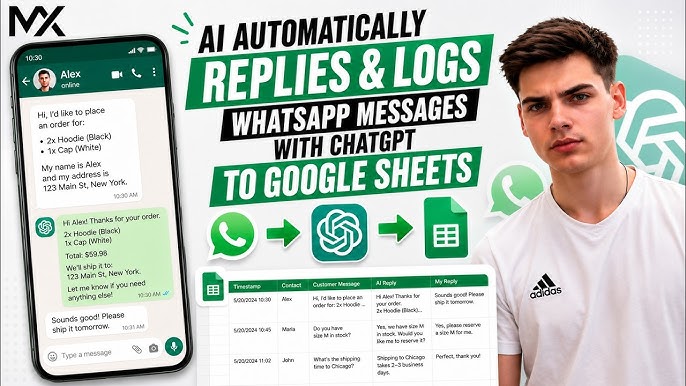
    For businesses looking to truly scale, connecting the official WhatsApp Business API to custom automation workflows (using tools like n8n or AI agents) is the ultimate solution. This setup allows an AI agent to read an incoming message, understand the true intent behind it, fetch real-time data (like product stock or booking availability), and reply instantly in natural language.

    🚀 Ready to Automate Your Customer Support?

    Don’t let valuable leads sit in an unanswered inbox. At Taskforce AI, we build intelligent, custom AI agents that integrate directly with your WhatsApp, handling everything from FAQs to automated bookings seamlessly.

    Stop copy-pasting and start scaling. Call our official hotline today at +94 77 669 7566 to chat with our team and get your custom automation blueprint.

    Best Practices for Setting Up WhatsApp Automation

    To make sure your automated system feels helpful rather than robotic, keep these principles in mind:

    • Always Allow an Easy Human Hand-off: If a customer has a complex issue or gets frustrated, the AI should immediately flag the chat and pass it to a live team member.
    • Keep the Tone Natural: Write your automated scripts the way Sri Lankans actually talk—professional yet warm, friendly, and direct.
    • Localize Your Context: Ensure your system understands local terminology, whether it’s recognizing “Singlish” phrasing, understanding local bank transfers, or calculating specific island-wide delivery timelines.

    Frequently Asked Questions

    1. Will using an official WhatsApp API bot get my business number banned?

    No. If you build your automation using the official WhatsApp Business API (via Meta), your number is completely safe. Banning typically happens when businesses use unofficial, third-party scraping software or “grey-market” tools to spam users.

    2. Can the automated system understand Singlish or Sinhala/Tamil text?

    Yes! Modern AI models integrated into custom workflows are incredibly proficient at understanding conversational context. They can easily interpret mixed languages (Singlish) and reply accurately in the language or style the customer used.

    3. Do I need to keep my personal phone connected to the internet for this to work?

    If you are using the advanced WhatsApp Business API setup, no. The automation lives in the cloud. Your system will reply to customers instantly 24/7, even if your physical team phones are switched off or out of coverage.

    4. Can a WhatsApp bot integrate with my existing website or inventory system?

    Absolutely. Advanced workflow automation allows your WhatsApp API to talk directly to your website backend, Shopify store, Google Sheets, or CRM. It can check live stock levels or log a new booking the moment a customer confirms it via text.

    5. How long does it take to deploy a custom WhatsApp automation system?

    A basic FAQ and greeting setup can be deployed relatively quickly. For an advanced, fully integrated AI agent that handles specific business data, live bookings, or backend system updates, deployment typically takes between 2 to 3 weeks.

    Taskforce AI – Explore Our Solutions: Visit taskforceai.tech

    Chat with us on WhatsApp (0776697566)
  • AI Automation for Sri Lankan Businesses: A Step-by-Step Guide to Integrating AI Agents

    AI Automation for Sri Lankan Businesses: A Step-by-Step Guide to Integrating AI Agents


    Why AI Agents Matter for Sri Lankan Businesses Right Now

    AI agents are changing how businesses across Colombo, Kandy, Galle, and the wider South Asian region run their operations. Unlike basic chatbots or scripted workflow tools, autonomous AI agents reason through tasks, hold context across conversations, and take action directly inside your existing business systems.

    For Sri Lankan companies facing rising operational costs, talent retention pressures, and growing customer expectations for 24/7 service in Sinhala, Tamil, and English — AI automation in Sri Lanka is no longer a future-state initiative. It is an immediate lever for OPEX reduction, customer experience improvement, and scaling output without expanding headcount.

    This guide walks Sri Lankan business owners, IT managers, and operations leaders through the practical steps of integrating AI agents into your business — with the local context, regulatory awareness, and cost realities that matter on the ground.


    What Are AI Agents and How Do They Work?

    AI agents are autonomous, decision-making systems that combine reasoning, memory, and tool access to complete real business tasks end-to-end. Where a chatbot replies and an automation script executes a fixed sequence, an AI agent thinks, plans, and acts — handing off to a human only when business rules or risk thresholds require it.

    The core building blocks of a modern AI agent are:

    • Reasoning and planning — evaluating context, applying business rules, and breaking down multi-step workflows.
    • Memory and context — retaining customer history, prior conversations, and transactional data across a task.
    • Tool and function calling — connecting to your CRM, ERP, WhatsApp, email, accounting system, or core banking platform to take real actions.
    • Guardrails and human review — enforcing security controls, compliance checks, and escalation paths.

    For Sri Lankan businesses, this means an AI agent can take an inbound voice call in Sinhala, log a motor insurance FNOL claim, check stock availability in your inventory system, send a WhatsApp confirmation, and escalate to a human agent only when the case falls outside its confidence threshold — all without a single staff member touching the workflow.

    AI Agents vs Chatbots vs RPA vs Copilots: What’s the Difference?

    Technology Primary Function Typical Sri Lankan Use Case Limitations Autonomy
    Chatbots Scripted Q&A and text dialogs FAQ handling on hotel or restaurant websites Static logic, no context retention Low
    RPA UI automation of repetitive tasks Data entry between disconnected systems Breaks easily when UIs change Medium
    Copilots Assistive suggestions inside apps Drafting emails, suggesting code Only responds when prompted Low to Medium
    AI Agents Reasoning + autonomous action End-to-end voice agents, booking agents, document processing Needs quality data and oversight Medium to High

    AI agents do more than chat — they execute workflows, adapt to exceptions, and escalate intelligently. For Sri Lankan businesses moving beyond first-generation chatbots, this is the meaningful step up.

    Where AI Agents Fit in Your Business Stack

    AI agents sit in the operational layer between your business logic and your transactional systems. They interact with databases, POS systems, CRM platforms, booking engines, and accounting tools through secure APIs. Properly integrated, AI agents support digital transformation across unstructured document processing, voice-based customer engagement, and cross-platform workflow orchestration — grounded in your actual business data and policies.


    When AI Agents Make Sense for Sri Lankan Businesses

    AI automation delivers the strongest ROI when applied to workflows that are high-volume, repeatable, and well-documented. Not every process is a candidate. Weigh feasibility, business value, and organizational readiness before deploying.

    High-Value Use Cases for AI Agents in Sri Lanka

    • High-volume, repetitive tasks — motor insurance claims intake (FNOL), bank loan pre-qualification calls, hotel and villa booking enquiries, restaurant reservations.
    • Document processing — extracting data from PDFs, contracts, customs paperwork, NIC scans, and receipts.
    • Business intelligence and reporting — automated daily sales reports, anomaly detection in transactions, KPI dashboards.
    • Voice agent automation — multilingual inbound and outbound calls in Sinhala, Tamil, and English for customer enquiries, appointment booking, and data collection.
    • Cross-platform workflow orchestration — moving data between WhatsApp Business, email, Google Sheets, your CRM, and your accounting tool.

    Workflows to Avoid for Now

    • Low-frequency, ad-hoc tasks — uniquely customized processes that don’t repeat.
    • Strategic or creative decisions — executive judgment, brand creative, or ambiguous requirements.
    • Regulated actions without oversight — payment approvals, legal execution, HR decisions all require structured human supervision.

    Is Your Sri Lankan Business Ready for AI Automation?

    You’re a strong candidate for AI agent integration if you have:

    • Established digital infrastructure and at least partially documented processes.
    • Data accessible through APIs, exports, or structured files.
    • Leadership sponsorship — typically the MD, CEO, or Head of Operations.
    • Basic data privacy and governance practices in place.
    • A genuine appetite to move past surface-level automation and into intelligent workflow transformation.

    Step-by-Step Guide to Integrating AI Agents in Your Sri Lankan Business

    Step 1 — Audit Your Existing Workflows

    Start with a structured audit. You can’t automate what you haven’t mapped.

    • Document repetitive, high-volume, and error-prone tasks across your operation.
    • Map every process stage — inputs, decision points, handoffs, outputs, exceptions.
    • Identify manual data re-entry, rework, and compliance checks.
    • Note which roles own which steps.
    • Highlight bottlenecks and steps that rely heavily on human judgment.

    Prioritize workflows using four criteria: time savings, manual effort reduction, risk or regulatory value, and feasibility based on your current systems and data availability.

    Step 2 — Define the Business Goal and Success Metrics

    Be specific. “Reduce invoice approval cycle from three days to three hours” is useful. “Improve operations” is not.

    Define KPIs upfront:

    • Cycle time (time to completion)
    • Accuracy improvement or error reduction
    • Throughput (tasks per day or per agent)
    • Customer satisfaction or response time
    • OPEX reduction or FTE reallocation

    Capture your pre-automation baseline. Without it, you cannot prove ROI later.

    Step 3 — Prepare Data and Knowledge Sources

    Reliable AI agents need reliable data. Many Sri Lankan businesses underestimate this step and pay for it later.

    • Cleanse and standardize data — remove duplicates, normalize fields, resolve inconsistencies, ensure recency.
    • Define agent-accessible sources — identify which databases, file shares, and knowledge repositories the agent will use, with proper access controls.
    • Implement retrieval-augmented generation (RAG) — connect your agent to internal documents, SOPs, pricing sheets, and product catalogues so it grounds every response in your real business context.

    Unstructured or legacy data multiplies risk. Sensitive datasets — customer NICs, payment information, medical records — must remain compliant with the Personal Data Protection Act of Sri Lanka and should always pass through human review before agent exposure.

    Step 4 — Choose the Right Use Case and Scope

    Start narrow. Scale fast. The most successful Sri Lankan AI deployments we see at TaskForce AI begin with one well-bounded workflow.

    • Pick a high-value, well-structured workflow with clear rules.
    • Document boundaries and exceptions explicitly — what’s in scope, what isn’t.
    • Assign an autonomy level appropriate to the risk:
      • Read-only — agent reviews and suggests, but does not execute.
      • Suggestion / draft — agent prepares the action, human approves.
      • Full autonomy — agent executes for low-risk, high-confidence steps.

    Step 5 — Design the AI Agent Workflow

    Workflow design is where projects succeed or stall. Map it out before you build.

    • Inputs — what triggers the agent? An inbound call, a new email, a webhook, a document upload?
    • Decision points — what business rules and validation logic apply at each step?
    • Actions — what does the agent do? Update a record, send a WhatsApp message, generate a quote, book a slot?
    • Outputs — where do results land? CRM, dashboard, email, Google Sheet?
    • Integrations — every API call should be secure, logged, and auditable.
    • Human-in-the-loop checkpoints — where does the agent pause for sign-off?

    Document every branch. Traceability is non-negotiable, especially in regulated industries like banking and insurance.

    Step 6 — Put Guardrails and Governance in Place

    Governance is what separates a working prototype from a production-grade deployment.

    Risk Example Failure Control Owner
    Excess permissions Agent edits records it shouldn’t touch Least-privilege access IT / Security Lead
    Inappropriate actions Sending unapproved emails or payments Human sign-off checkpoints Workflow Manager
    Data access breaches Customer data exposure Redaction and access controls Data Protection Lead
    Out-of-scope execution Agent acting outside hours or scope Policy rules and escalation Compliance Officer
    Incident gaps No rollback after failure Fallback, rollback, pause plans IT / Support

    Implement: least-privilege permissions, approval flows, comprehensive logging, regular control reviews.

    Step 7 — Test in a Safe Environment

    Don’t rush from prototype to production.

    • Offline testing — run staging data through the agent and compare outputs against a human benchmark.
    • Shadow runs — let the agent run alongside your team, observing live traffic without taking action.
    • Edge case simulation — deliberately throw ambiguous, rare, and broken inputs at the agent.
    • Hallucination probes — confirm the agent does not invent facts, prices, or policies under pressure.
    • Log review — examine every transaction during testing for anomalies.

    Workflow owners and IT must sign off jointly before live deployment.

    Step 8 — Deploy Gradually

    • Pilot launch — activate the agent for a small user group or data subset.
    • Internal testing — let trusted internal teams trial the agent and feed back.
    • Broader rollout — expand to additional teams, branches, or workflows.
    • Change management — train your team, publish FAQs, set up support channels. People accept what they understand.

    Step 9 — Monitor, Measure, and Improve

    AI agent deployment is not a one-time project. It is an operational capability that needs ongoing attention.

    • Monitor KPIs against your Step 2 baseline.
    • Collect structured feedback from staff and customers.
    • Track errors, drift, and confidence-score patterns.
    • Iterate on agent logic, prompts, and security rules.
    • Expand strategically — once one agent stabilizes, add the next workflow.

    Common Pitfalls Sri Lankan Businesses Should Avoid

    • Starting too broad — pick one workflow, win, then scale.
    • Neglecting data quality — automation amplifies bad data exponentially.
    • Weak governance — no permissions, no logs, no audit trail is a future incident waiting to happen.
    • No fallback plan — always have a way to pause, revert, or escalate to humans without service disruption.
    • Tracking technical metrics only — ROI lives in business outcomes: OPEX, cycle time, NPS, FTE reallocation. Not model accuracy in isolation.

    How TaskForce AI Helps Sri Lankan Businesses Deploy AI Agents

    TaskForce AI is a Sri Lankan AI automation agency headquartered in Colombo, with deployments across banking, insurance, hospitality, restaurants, and government tourism. Our voice agents handle inbound and outbound calls in Sinhala, Tamil, and English with a 65–70% call resolution rate and 99% data accuracy — 24 hours a day, with no shift breaks and no attrition.

    We work with clients across Sri Lanka, the UAE, and Oman on voice agent deployment, N8N workflow automation, document processing, and custom AI-powered dashboards. Every engagement follows the structured roadmap above, with full governance, multilingual capability, and OPEX-focused outcomes.

    If you’re considering AI automation for your Sri Lankan business, get in touch with the TaskForce AI team for a workflow audit and demo.


    Frequently Asked Questions About AI Agents for Sri Lankan Businesses

    Q: What is an AI agent and how is it different from a chatbot used by Sri Lankan companies?

    A: An AI agent is an autonomous system that reasons, plans, and takes real action across your business systems — placing calls, updating records, sending messages, processing documents. A chatbot only responds with scripted text inside one channel. For Sri Lankan businesses, the practical difference is this: a chatbot answers “what are your opening hours?”, an AI agent takes the booking, confirms it on WhatsApp, updates your booking system, and sends a reminder the day before — all in Sinhala, Tamil, or English, around the clock.

    Q: How much does AI automation cost for a small or mid-sized business in Sri Lanka?

    A: AI automation pricing in Sri Lanka depends on three factors: the use case (a single voice agent costs significantly less than a multi-system document processing pipeline), call or transaction volume, and the level of integration with your existing systems. Most TaskForce AI deployments are structured on an OPEX model — a fixed monthly fee covering hosting, support, and improvements — making the cost directly comparable to the salary of one staff member while delivering 24/7 multilingual capacity. A workflow audit and scoped quotation typically takes one to two weeks.

    Q: Can AI agents handle Sinhala and Tamil for Sri Lankan customer service?

    A: Yes. TaskForce AI voice agents handle inbound and outbound calls in Sinhala, Tamil, and English, with the agent automatically detecting the language the customer prefers. The production pattern most Sri Lankan businesses use combines a multilingual understanding layer — which interprets the customer’s speech in any of the three languages — with a response layer tuned to the agent’s brand voice. This delivers natural conversation quality without the brittleness of older translation-based approaches, and it scales across banking, insurance, hospitality, and restaurant use cases.


    This guide is provided for general orientation. For workflows involving regulated activity, financial transactions, or business-critical decisions, combine AI agent deployment with qualified human oversight and consult appropriate compliance experts before full automation.

    Taskforce AI – Explore Our Solutions: Visit taskforceai.tech

    Chat with us on WhatsApp (0776697566)

     

  • How TaskForce AI’s Autonomous Agents Reduce Operational Costs

    How TaskForce AI’s Autonomous Agents Reduce Operational Costs

    Enterprise organizations face mounting pressure to control costs while maintaining scalable operations and service excellence. Manual processes, repetitive document handling, and limited workforce capacity often create bottlenecks that restrict growth and elevate expenses. With the rapid advancement of artificial intelligence – particularly the rise of autonomous AI agents – enterprises now have new, data-driven paths to address these obstacles.

    TaskForce AI focuses on deploying autonomous AI agents to automate workflows, manage voice calls, process documents, and execute business intelligence activities. By integrating these agentic technologies into daily operations, enterprises can instantly scale their workforce and gain new efficiencies. Organizations adopting intelligent automation have reported measurable decreases in error rates, shorter process cycles, increased productivity, and substantial cost savings.

    This material is informational only. For decisions involving finance, legal compliance, or large-scale workforce transformation, consult qualified professionals for tailored guidance.

    Understanding Autonomous AI Agents

    What Are Autonomous AI Agents?

    Autonomous AI agents are software-driven systems that interpret business goals, devise stepwise plans, and execute tasks with minimal ongoing human supervision. Unlike traditional robotic process automation (RPA) or basic rule-based bots, these agents adapt to dynamic enterprise environments, apply advanced business logic, and interact across systems to deliver meaningful outcomes. Their signature capabilities include:

    • Interpreting natural-language prompts and high-level instructions
    • Breaking complex objectives into precise, executable steps
    • Monitoring task progress, handling exceptions, and adjusting actions based on real-time data
    • Engaging human supervisors for oversight on high-impact or sensitive activities

    TaskForce AI’s autonomous agents operate as digital workers within organizations, orchestrating everything from document processing and workflow automation to voice interactions and business intelligence. Industry forecasts suggest that, by 2026, over 40% of enterprise applications globally will involve task-specific AI agents – indicating a clear shift from manual workflows to scalable agent-driven operations.

    The 2026 Shift to Agentic AI in Enterprises

    By 2026, enterprises transition from siloed automations and isolated bots toward orchestrated, multi-agent ecosystems. Several drivers support this shift:

    • Scalability: Agents can take on hundreds or thousands of routine tasks simultaneously, providing workforce elasticity during spikes in activity or seasonal shifts.
    • Continuous Operations: Unlike human workforces bound by shifts and time zones, AI agents function around the clock, ensuring there are no service interruptions.
    • Transparent Audit Trails: Every agent action generates a record, simplifying regulatory compliance, security, and post-event analysis.
    • Agent Collaboration: Multiple agents coordinate to handle interconnected workflows, reducing process fragmentation and manual hand-off delays.

    Deploying autonomous AI agents by TaskForce AI empowers companies to move beyond error-prone, manual operations. These enterprises achieve intelligent automation that can flex as the organization’s needs evolve.

    How Autonomous Agents Drive Cost Reductions

    Key Mechanisms: Automation, Error Reduction, 24/7 Operations

    Autonomous AI agents drive operational savings by optimizing critical levers, including:

    • Workflow Automation: Agents absorb repetitive, rule-driven processes such as document ingestion, data extraction, and transaction processing – often managing 60–70% of these tasks.
    • Error Reduction: With proactive monitoring, agents consistently spot and correct issues, lowering operational errors and compliance violations by 20–50%.
    • Continuous Activity: By maintaining nonstop processing, agents help teams reclaim over 40 hours per month typically lost to idle time or process bottlenecks.
    • Responsive Adjustments: Agents process signals from company platforms (ERP, CRM, supply chain) and adapt in real time to demand surges, exceptions, or regulatory shifts.
    • Empowering Human Talent: Offloading routine work allows staff to concentrate on complex problem-solving and strategic initiatives.

    Outlined below are the primary direct benefits:

    • Lower recurring payroll costs as agents scale on demand
    • Fewer process blockages due to always-on task execution
    • Reduced expense on error correction and compliance incidents
    • Tighter and more predictable service quality

    Quantified Savings and Efficiency Gains

    Enterprises leveraging autonomous AI agents report the following quantifiable outcomes:

    • Productivity improved by up to 30%: Teams complete processes faster and handle greater workload with the same or reduced headcount.
    • Error and defect rates down 20–50%: Consistent, automated quality checks lower the frequency of data mismatches and process failures.
    • Order handling cycles reduced by 27%: Most notable in supply chain operations, where agents accelerate decision-making and coordination.
    • Inventory holding costs lowered 20–30%: Real-time planning and replenishment minimize overstock and excess working capital.
    • Overall cost/revenue enhancements near 20%: Especially in finance and shared services, due to digital labor absorbing mundane work.

    Here is a benchmarking table reflecting recent enterprise experiences with autonomous agent deployment:

    Area Key Metric Reported Improvement
    Operations Defect rates 20–50% reduction
    Supply Chain Order lead time / Inventory 27% / 20–30% reduction
    Finance Cost/Revenue Impact ~20% improvement
    Productivity Team hours saved / Task speed 40+ hours/month / Days to minutes
    Procurement Task workload absorbed 60–70% of repetitive tasks

    Outcomes depend on the suitability of the process, change management discipline, and governance frameworks in place. Enterprises realize these benefits most fully when they benchmark current state metrics and track improvements through regular reviews.

    Real-World Applications Across Operations

    Autonomous AI agents bring tangible results across a spectrum of enterprise functions. TaskForce AI specializes in workflow automation, voice AI, document processing, and business intelligence that address high-value, high-frequency business needs.

    Supply Chain and Procurement

    Complex supply chains often suffer from information gaps, manual interventions, and slow adaptation. AI agents deliver:

    • Automated RFx and Bid Management: Agents manage requests for proposals and quotes, analyze submissions, and escalate the best options for approval.
    • Dynamic Pricing Reviews: Agents monitor supplier pricing and adapt buys to market changes in real time.
    • Inventory Control: AI reconciles stock data, predicts shortages, and initiates replenishment under compliance guidelines.
    • Contract Auditing: Continuous analysis of contract terms and vendor compliance minimizes exposure and administrative workload.

    Key benefits:

    • Accelerated order-to-delivery cycles
    • Significant reductions in inventory holding costs
    • Detailed, searchable compliance logs for procurement oversight

    Finance and Customer Support

    Finance and support teams handle sensitive documents and compliance-critical data. AI agents boost both speed and accuracy:

    • Automated Invoice Handling: Line items are extracted, cross-checked, and posted automatically, reducing human input and exception handling.
    • Continuous Compliance Oversight: Agents monitor transaction logs, audit reports, and flag anomalies immediately.
    • 24/7 Voice AI for Support: Basic customer queries and transactions are managed autonomously, with escalations routed to skilled staff as necessary.

    Reported outcomes:

    • Around 20% improvements in cost/revenue efficiency
    • Notably, 74% of CFOs surveyed anticipate agents absorbing a substantial portion of manual tasks within three years
    • Accelerated response times and increased customer satisfaction

    IT and Project Management

    Technical and project teams see benefits from agents designed for precision and repeatability:

    • Ticket and Incident Triage: Agents categorize, prioritize, and route IT support requests to the appropriate teams quickly.
    • Automated Knowledge Retrieval: Documentation and solutions are surfaced for helpdesk issues using AI-driven search.
    • Project Progress Tracking: Agents monitor deliverables and prompt stakeholder action to minimize project delays.

    Operational improvements:

    • Quicker support resolution and project cycles
    • Higher system uptime
    • Freed-up innovation capacity for core technology staff

    Organizations that automate workflows and scale your workforce with TaskForce AI experience fewer operational delays, increased compliance confidence, and improved ability to adapt in volatile business environments.

    Implementation Best Practices

    Achieving maximum value from autonomous AI agents requires careful planning, thorough orchestration, and continuous oversight. Practical deployment is best approached in stages, based on measurable outcomes and organizational readiness.

    Planning and Orchestration Essentials

    The following checklist supports enterprise-scale agent adoption:

    • Define outcome metrics specific to your operation, such as targeted reductions in cycle time or compliance errors.
    • Pilot with high-volume, low-risk tasks to create quick wins – examples include CRM updates, invoice matching, or helpdesk ticketing.
    • Leverage agents’ ability to break down goals into sequenced, manageable actions, helping standardize and optimize common workflows.
    • Establish real-time monitoring for agent-driven activities, ensuring fast reaction to service fluctuations or anomalies without manual involvement.
    • Transition from informal scripts to supported platforms to manage security, scalability, and upgrades.
    • Sustain human oversight by assigning responsible team members to monitor agent decisions, especially where data privacy or critical business outcomes are at stake.
    • Maintain comprehensive audit trails to ensure transparency for internal and external compliance checks.

    Orchestrating agents with these intelligent automation capabilities keeps automation effective, secure, and directly tied to business value.

    Overcoming Common Challenges

    Widespread adoption raises several practical obstacles:

    • ROI Timelines: Over half of enterprises report that realizing expected savings takes longer than initial pilots suggest. Phasing deployments and celebrating early milestones helps maintain momentum.
    • Ethics and Privacy: Two-thirds of finance leaders identify ethical risks where agents lack adequate oversight. Strict access controls and a “human-in-the-loop” policy mitigate these dangers.
    • Agent Proliferation: Decentralized deployment without central governance leads to inefficiencies. Instituting standards and centralized orchestration helps maintain process harmony.
    • Pilot Fatigue: Disappointment may set in if project sponsors expect rapid, system-wide transformation. Transparent communication and clear goal-tracking keep expectations realistic.

    Proactive identification and resolution of these challenges are critical to sustainable, scalable agent deployment.

    Measuring ROI and Future Outlook

    Evaluating the success of autonomous AI agents calls for systematic measurement and continual recalibration.

    Metrics to Track

    Best-practice organizations monitor:

    • Process Cycle Times: Track reductions from legacy durations (often in days) to new baselines (sometimes minutes).
    • Defect and Error Incidence: Quantify drops in compliance exceptions or manual rework events.
    • Labor Hours Redeployed: Calculate time reclaimed for staff to focus on higher-value work – often amounting to 40+ hours monthly per team.
    • Inventory and Cash Flow: Assess lowered working capital requirements and faster turnover.
    • Total Cost-to-Serve: Track decreases in payroll, outsourcing, and overtime costs.
    • Service-Level Metrics: Take note of improvements in satisfaction scores, response rates, and project delivery punctuality.

    Establishing these baselines prior to implementation and updating at regular intervals allows for targeted refinement and transparent value realization.

    Key themes shaping the future of enterprise AI agent deployment include:

    • Maturation to Goal-Based Planning: Enterprises shift from task bots to agents capable of strategic goal decomposition and adaptive collaboration.
    • Human Oversight as Standard: Continuous human-in-the-loop elements become non-negotiable – especially in finance, procurement, and regulated functions.
    • Infrastructure Efficiency: Advanced computing enables agent operations at lower cost, reducing prohibitive barriers for broad adoption.
    • Formalization of Informal Automations: Organizations increasingly move informal scripts into secure, supported environments.
    • Expectation Reset: After initial deployment hype, focus centers on phased, realistic rollouts with clear, tracked metrics and visible ROI.

    The ability to scale your workforce without commensurate increases in payroll, reduce bottlenecks, and guarantee compliance will increasingly distinguish high-performing organizations.

    A table below outlines current benefit-challenge comparisons:

    Benefits Challenges to Address
    24/7 operation, reduced downtime Extended ROI realization in some cases
    Comprehensive compliance and audits Ethical/privacy risks – require oversight
    Lower errors and process failures Pilot results may lag forecasts
    Orchestrated, cross-agent cooperation Agent proliferation without standards

    Stakeholder collaboration – including IT, compliance, and business leaders – remains essential for translating potential into ongoing enterprise value.

    Moving Forward with TaskForce AI

    Organizations aiming to reduce costs, improve efficiency, and ensure regulatory consistency can benefit from integrating autonomous AI agents into their operations. TaskForce AI delivers comprehensive automation across critical business domains – workflow automation, document processing, voice AI, and business intelligence – enabling companies to stay agile and competitive in changing markets.

    Decision makers and technology leaders seeking a strategic path out of manual operations can realize continuous improvement with intelligent automation. To explore how your organization can optimize processes and control operational costs, discover more about autonomous AI agents by TaskForce AI – built to help companies deploy scalable, efficient digital workforces ready for the demands of the future.

    Taskforce AI – Explore Our Solutions: Visit taskforceai.tech

    Chat with us on WhatsApp (0776697566)

  • Why TaskForce AI is the Go-To Platform for Scalable Automation

    Why TaskForce AI is the Go-To Platform for Scalable Automation

    Enterprises are under increasing pressure to automate workflows, improve decision-making speed, and adapt to evolving demands. Operational costs are rising, workforce management grows ever more complex, and expectations for continuous delivery of outcomes are higher than ever. In response, organizations seek solutions to scale their workforce instantly with intelligent automation, moving beyond automating isolated tasks toward unified, governed systems that support both autonomy and oversight.

    TaskForce AI is engineered for this reality. Purpose-built for deploying autonomous AI agents, it automates workflows, voice calls, and document processing and enhances business intelligence, supporting companies in maximizing efficiency while maintaining operational control. TaskForce AI bridges the gap between current enterprise needs and the future of scalable, auditable AI-driven operations.

    This article identifies why TaskForce AI stands out among automation platforms, explores concrete benefits, and provides actionable guidance for enterprises striving to achieve agile, governed, and scalable automation on a global scale.

    The Imperative for Scalable Automation in Enterprises

    Agility, efficiency, and reliable scalability form the foundation of successful enterprise operations today. Legacy automation approaches are too often overwhelmed by disjointed systems, expanding data volumes, and intricate business intelligence requirements. Siloed efforts fail to deliver sustainable value as needs change.

    Key drivers for scalable automation in contemporary enterprises include:

    • The need to quickly scale capacity as workloads fluctuate.
    • Reducing dependency on manual oversight through autonomous task execution.
    • Ensuring alignment with regulatory, compliance, and governance frameworks.
    • Accelerating deployment cycles by moving beyond extensive custom development.

    Challenges impeding progress in workflow automation and business intelligence are especially acute:

    • Fragmented workflows: Disconnected platforms and legacy software generate redundancy, delays, and increased operational risk.
    • Escalating development costs: Heavy reliance on custom code and one-off integrations results in high costs and slow time-to-value.
    • Lack of agent interoperability: Many systems lack adaptable AI agents that can cross functional boundaries with full auditability.

    Addressing these hurdles requires solutions that integrate automation, streamline data processes, and enable rapid, governed deployment – without significant additional hiring or disruption to ongoing operations.

    What Distinguishes TaskForce AI as a Scalable Automation Platform

    TaskForce AI is purpose-built to answer modern requirements for seamless, autonomous, and governed enterprise automation. Its capabilities provide the flexibility to scale, integrate, and operate with full accountability.

    TaskForce AI’s defining features include:

    • Autonomous AI Agents

      • Automate diverse enterprise tasks:
      • Complete end-to-end workflows
      • Manage and interact with voice calls (voice AI for service and communication)
      • Carry out reliable document processing (parsing, validating, routing)
      • Drive automated business intelligence operations
    • Instant Workforce Scaling

      • Instantly add or adapt AI agents as business needs evolve – no new staff required.
      • Dynamic right-sizing of automation matches operational intensity and complexity.
    • Seamless Integration

      • Works with established enterprise tools, CRMs, and business software.
      • Minimal system disruption; designed for smooth overlays on existing environments.
    • Agentic AI Capabilities

      • Goal-driven agents decompose objectives, sequence and complete tasks on behalf of enterprise teams.
      • Built-in human oversight for monitoring, intervention, and escalation.
    • Governed Operations

      • Detailed tracking of agent activity, SLAs, and resource utilization (including inference costs).
      • Comprehensive dashboards for audit, compliance, and centralized management.

    To explore these capabilities and see deployment in action, visit TaskForce AI’s autonomous AI agents platform.

    TaskForce AI’s architecture is designed for minimal disruption, rapid upscaling, and full auditability, supporting enterprises as they deploy AI-driven workforce solutions for today and tomorrow.

    Demonstrated Benefits and Practical Outcomes of Using TaskForce AI

    TaskForce AI delivers measurable outcomes for enterprises aiming to automate at scale while maintaining reliability and clarity in oversight. Its impact is both operational and strategic – targeting efficiency, speed, and enterprise intelligence.

    Key benefits experienced by enterprises using TaskForce AI:

    • Operational Efficiency Inspired by Command Principles

      • Distributed agents mirror digital command chains, coordinating real-time execution of tasks.
      • Example: Automated handling of incoming documents, real-time validation, and notification workflows in compliance-heavy environments.
    • Rapid Deployment Without Lengthy Custom Development

      • Pre-built agents can be activated and tailored to core enterprise needs in days, not months.
      • Templates and configurable workflows eliminate extensive software builds for most scenarios.
    • Business Intelligence Advancements

      • Automated ingestion, transformation, and analysis of unstructured and structured data at enterprise scale.
      • Improved, continual enrichment of business knowledge systems and reporting.
    • Governance and Transparency

      • Centralized dashboards for live monitoring of agent behavior, costs, and process health.
      • Defined audit trails for agent activity meet compliance, security, and oversight requirements.
    • Accelerated Response Cycles

      • Agents can trigger workflows in real time upon events such as call receipt or document ingestion.
      • Enables responsive, always-on operational readiness that adapts to shifting demands.

    Example Scenarios:

    • Document Processing

      AI agents ingest contract files, validate entries and signatures, and update business systems – eliminating hours of manual checks.

    • Voice AI Integration

      Automated agents manage customer calls, route inquiries, and raise exceptions to supervisors as required, ensuring consistent response quality.

    • ]Business Intelligence Automation

      Agents maintain data pipelines – collecting, cleaning, and structuring incoming streams for immediate analysis.

    For additional real-world use cases, read about Intelligent automation for workflow and business intelligence.

    TaskForce AI stands apart by fusing enterprise-grade automation with rigorous control, enabling organizations to respond faster and more reliably amid shifting market and compliance requirements.

    Guidelines for Scaling Automation with TaskForce AI

    Achieving optimal value from enterprise automation requires thoughtful assessment and clear procedures. The following guidelines support successful, efficient scaling with TaskForce AI.

    Checklist for Enterprise Automation Scaling:

    • Assess Suitable Workflows

      • Pinpoint repetitive, error-prone, or rules-based tasks suited for agents.
      • Focus on processes currently constricted by human intervention bottlenecks.
    • Integrate AI Agents as Operational Backbone

      • Connect agents directly with major platforms (CRM, ERP, sensors).
      • Deploy overlays for command, monitoring, and failover to guarantee transparency and reliability.
    • Prepare and Enable Workforce

      • Provide structured training on AI agent operation, monitoring, and handoff protocols.
      • Involve staff in both process review and agent oversight cycles.
    • Validation and Testing

      • Use controlled sandboxes to simulate live operations – test agent performance and system integration before broad roll-out.
      • Bench outcomes against compliance, efficiency, and ROI metrics.
    • Embed Governance and Controls

      • Set explicit auditing routines for all automated activity (logs, escalation, exception handling).
      • Track AI inference resource usage and correlate with outcomes and value delivered.
    • Iterative Expansion

      • Launch with tightly scoped processes to prove value.
      • Expand incrementally, guided by outcome analysis and process feedback.

    A disciplined, iterative adoption strategy unlocks consistent results and maintains alignment with enterprise governance mandates.

    Getting Started with TaskForce AI: Step-by-Step Onboarding

    TaskForce AI enables organizations to launch automation projects quickly through a structured, predictable onboarding process. This ensures both minimal risk and maximum efficiency.

    Step-by-Step Enterprise Onboarding:

    1. Identify and Prioritize Workflows

      • Select business areas with high impact and clarity (e.g., document processing, support call routing).
      • Define the start and end points of each targeted process.
    2. Deploy AI Agents for Chosen Functions

    3. Integrate Agents into Existing Systems

      • Connect agents to in-house platforms via standard connectors and APIs.
      • Support integration with databases, file storage, messaging, and communication networks.
    4. Monitor Automated Operations

      • Set up dashboards for live KPI monitoring, alerts, and governance.
      • Analyze outcomes, cost, and compliance on an ongoing basis.
    5. Iterate and Expand Coverage

      • Add agents to new workflows as results are validated and confidence grows.
      • Continue scaling throughout departments and business units in line with adoption readiness.
    6. Engage and Train Your Workforce

      • Enable staff to interact with agents via dashboards and escalation paths.
      • Solicit feedback and organize continuous improvement workshops.

    With this structured onboarding, TaskForce AI ensures rapid time-to-value and sustainable, governed enterprise adoption.

    TaskForce AI’s approach and architecture are aligned with the future direction of enterprise AI policy, regulation, and operational excellence.

    This content offers general information concerning AI policy alignment. It should not be considered legal or regulatory guidance.

    TaskForce AI aligns with evolving recommendations and practices:

    • Regulatory Compliance and Sandboxing

      • Facilitates innovation testing in dedicated sandboxes before production deployment.
      • Supports regulatory requirements for safe AI adoption, especially in regulated sectors.
    • Workforce Learning and Adaptation

      • Offers support for organization-wide AI literacy and agent-handling practices.
      • Encourages AI engineering and process management upskilling.
    • Standardized Automation and Preemption Support

      • Employs uniform frameworks for agent governance, adaptable to shifting national and international standards.
      • Observes safety carve-outs for sensitive domains such as health, finance, and data protection.
    • Cost, Infrastructure, and Efficiency Management

      • Includes detailed monitoring for AI inference usage and operational efficiency.
      • Supports compliance with best practices in cost management and infrastructure reporting.
    • Enterprise Innovation and Scalability

      • Prioritizes platform-based agent adoption, minimizing the need for risky, resource-intensive model development.
      • Anticipates changes in enterprise workforce composition by supporting the transition to AI management roles.

    Staying ahead requires selecting platforms that balance capability with governance, policy alignment, and scalable innovation – attributes central to the TaskForce AI philosophy.

    Frequently Asked Questions about TaskForce AI and Scalable Automation

    Q: What is agentic AI, and how does TaskForce AI implement it?

    A: Agentic AI refers to digital agents that manage entire workflows by breaking broad objectives into discrete, actionable steps. TaskForce AI’s agents handle tasks such as call routing, document validation, and event response with minimal human intervention but remain fully auditable for oversight.

    Q: How does TaskForce AI enable automation without custom coding?

    A: The platform features configurable agents and predefined workflow templates. Technology teams select desired automations, customize logic via standard interfaces, and integrate with existing tools – eliminating code-heavy development cycles.

    Q: Can TaskForce AI integrate with our current enterprise systems and sensors?

    A: Yes. TaskForce AI agents are designed for interoperability. Integration is achieved through APIs, data connectors, and adapters for business software, communications infrastructure, and IoT sensors.

    Q: How should we prepare our workforce for AI-driven automation?

    A: It’s recommended to develop staff AI literacy through organized training initiatives, practical workshops, and role definition. Involving employees in oversight, monitoring, and exception management improves adoption and resilience as AI agents augment operations.

    Q: How does TaskForce AI assist with scalable deployment and governance?

    A: Through a centralized dashboard, enterprises manage agent deployment, activity monitoring, and resource usage. Policies for workflow automation, auditing, and escalation are defined up-front, with full traceability and compliance audit features.

    Achieve Scalable, Governed Enterprise Automation with TaskForce AI

    Organizations around the world turn to TaskForce AI for measurable, reliable, and scalable automation tailored to enterprise realities. Its autonomous AI agents allow companies to automate workflows, manage voice and document processes, and unlock greater business intelligence – all under controlled, governed oversight.

    TaskForce AI directly addresses both immediate operational needs and the longer-term priorities of adaptability and policy readiness. To empower your enterprise workforce and sustain digital transformation, consider adopting a platform offering the flexibility, control, and intelligence required to scale your workforce with intelligent automation.

    Taskforce AI – Explore Our Solutions: Visit taskforceai.tech

    Chat with us on WhatsApp (0776697566)

  • How AI Agents Support Real-Time Decision Making in Enterprises

    How AI Agents Support Real-Time Decision Making in Enterprises

    Autonomous AI agents are redefining how enterprises operate, offering marked improvements in speed, scalability, and accuracy across business-critical functions. By automating decisions that once relied on large teams or manual monitoring, these intelligent systems are transforming workflows, business intelligence, voice calls, and document processing. No longer restricted to simple scripts, modern agentic AI can execute processes, interpret real-time data, and adapt to shifting requirements – all under strict governance and policy frameworks.

    Industry analyses indicate a move from experimentation to large-scale, production deployment of autonomous AI agents by 2026. This timeline reflects growing recognition among enterprises that real-time decision automation brings tangible results, such as reduced cycle times and direct cost benefits. Mature platforms like TaskForce AI intelligent automation agents enable organizations to scale your workforce instantly – deploying flexible automation in areas previously subject to unpredictable workloads or resource constraints.

    This resource is intended for informational purposes. For enterprises in regulated sectors, such as financial services or logistics, seek legal and compliance expertise before introducing autonomous AI-driven decision-making into production workflows.

    Introduction to AI Agents in Real-Time Decision Making

    Autonomous AI agents are systems empowered to plan, act, and respond independently to complex business goals. These agents differ fundamentally from legacy AI: instead of following set rules or offering simple outputs, they break down ambitious objectives into smaller, actionable steps and navigate dynamically as situations evolve.

    By 2026, projections suggest that over 40% of enterprise applications will incorporate these sophisticated autonomous functions – a pivotal leap beyond basic automation or isolated use cases. This shift marks the transition from assistive AI (limited to recommendations or alerts) toward deployment-ready, autonomous systems governed by comprehensive policies and real-time oversight.

    AI agents deliver value across a range of business domains:

    • Streamlining enterprise workflows by automating repetitive, multi-step processes.
    • Handling inbound and outbound voice calls, both for external customer engagement and internal support requests.
    • Extracting structured data from vast document collections to fuel business intelligence platforms.
    • Scaling workforce responsiveness without proportional hiring, even during peak-volume periods.

    Where business outcomes involve regulatory or safety implications, organizations should work with compliance and legal advisors to ensure agent-driven automation aligns with both internal controls and external mandates.

    Core Capabilities Enabling Real-Time Decisions

    Modern enterprise AI agents employ several advanced capabilities that support intelligent, real-time action. These capabilities serve as the foundation for safe, scalable automation.

    • Planning and Goal Decomposition

      • Agents systematically dissect business objectives – such as minimizing supply chain costs – into logical steps and subgoals.
      • Resource allocation, risk evaluation, and scheduling adjustments are managed automatically as underlying conditions change.
    • Multi-Agent Orchestration

      • Complex workflows are distributed among multiple agents, each responsible for a distinct facet of the process (e.g., procurement, logistics, compliance).
      • These agents communicate seamlessly, reassigning tasks on the fly to maintain end-to-end efficiency.
    • Progression from Assistive AI to Autonomous Execution

      • Intelligent automation has evolved past simply providing status updates or offering advice.
      • Within clearly established risk parameters, AI agents can now remediate IT incidents, reconcile transactions, or re-route shipments in real time – autonomously executing decisions while referring high-impact risks to humans.

    For organizations targeting workflow automation at scale, the use of autonomous AI agents for workflow automation ensures policy-aligned operations and continuous, audit-ready documentation of every decision.

    Key Enterprise Use Cases for Autonomous AI Agents

    Autonomous AI agents deliver concrete results across core business domains, making real-time decisions that reduce latency and free up human talent for higher-value tasks.

    • Supply Chain and Logistics Optimization

      • Agents monitor and respond to inventory levels, shifting market demands, shipping disruptions, and delivery deadlines.
      • Example: A set of coordinated agents manages warehouse robotics, optimizes transport routes according to live conditions, and triggers automated reordering – all without human delay.
    • Customer Support and IT Operations Automation

      • Multi-agent systems analyze incoming help desk tickets and customer inquiries, responding instantly to routinized requests and automating escalation for specialist intervention.
      • Example: Agents reset passwords, provision accounts, classify requests, and reduce support ticket turnaround from hours to minutes.
    • Finance: Security and Transaction Reconciliation Automation

      • Financial automation agents match invoices and orders, identify anomalies using rule-based logic, and flag irregularities for management review.
      • Example: Cross-border payment reconciliation happens nearly instantly, with audit trails automatically generated for compliance tracking.

    TaskForce AI document processing and business intelligence solutions facilitate these applications, integrating automation throughout critical workflows at enterprise scale.

    Compliance note: The examples above illustrate potential implementations. Organizations must validate deployment strategies with legal and compliance professionals to ensure that any autonomous agent-driven decisions, especially in regulated or sensitive areas, meet internal standards and all relevant regulations.

    Benefits and ROI Metrics from AI Agent Deployments

    Implementation of autonomous AI agents within robust governance parameters brings quantifiable benefits to enterprises seeking rapid returns and operational flexibility:

    • Productivity Gains

      • Enterprises routinely save more than 40 hours per team per month by automating multipart workflows.
      • Uninterrupted execution and automated hand-offs accelerate process cycles beyond human capacity.
    • Reduced Costs

      • Continual error detection, 24/7 operation, and elimination of manual bottlenecks lead to substantial cost reduction.
      • Automation meets after-hours demand without necessitating extra hiring or overtime.
    • Scalable Workforce Augmentation

      • With autonomous AI, organizations can dramatically scale your workforce – ramping services up or down according to need – supporting business agility and customer satisfaction.
    • Continuous, Transparent Auditability

      • Every automated decision is logged and accessible for oversight, facilitating compliance, and further reducing the risk of unnoticed operational issues.

    The table below summarizes agent capabilities, real-time decision examples, and projected 2026 impacts:

    Agent Capability Real-Time Decision Example Key Benefit Projected 2026 Impact
    Planning & Goal Breakdown Automated inventory adjustment Reduces excess stock, shortens lead times Dynamic, self-adjusting logistics networks
    Autonomous Execution Instantly remediated security events Addresses incidents before escalating Over 40% of legacy processes automated
    Multi-Agent Orchestration Full-cycle customer support issue resolution Reduces hand-offs, accelerates problem solving 40+ hours saved per team monthly
    Automated Governance Real-time audit trail for finance automation Ensures compliance, supports human review 50% of ERP systems integrated with agents

    Organizations committed to scaling your workforce with TaskForce AI leverage these capabilities for rapid business benefits.

    Operational Advantages at a Glance

    • Lower operational expenditures by automating high-frequency and error-prone tasks
    • Enhanced customer and internal service reliability without requiring proportional human oversight
    • Immediate visibility and compliance through complete and retrievable audit trails
    • Flexibility to adapt capacity in response to forecasted or unforeseen demand spikes

    Implementation Best Practices for Enterprise AI Agents

    Successful adoption of intelligent automation agents requires structured execution and transparent governance. The following checklist outlines essential best practices:

    Enterprise AI Agent Implementation Checklist

    • Evaluate and Map Current Workflows

      • Identify existing processes suitable for automation (e.g., document processing, service desk triage, compliance checks).
      • Prioritize workflows that are highly repetitive or rules-based.
    • Define Risk Tiers and Policy Boundaries

      • Segregate low-risk tasks (fully automatable) from those needing human sign-off.
      • Deploy explainable AI for high-stakes applications, maintaining audit trails for all agent actions.
    • Construct Tiered Infrastructure

      • Allocate more efficient models to routine activities, reserving premium computing resources for tasks requiring greater complexity or performance.
      • Monitor per-agent usage and ROI; adjust resources in line with system health and business needs.
    • Incremental Multi-Agent System Deployment

      • Start with narrowly focused agents; expand to orchestrated, cross-domain systems with proven safety and effectiveness.
      • Integrate agents into existing systems via robust APIs, facilitating interoperability and data visibility.
    • Operate Continuous Monitoring and Policy Optimization

      • Implement oversight mechanisms for real-time compliance checks and prompt shutdown of errant agents.
      • Regularly update agent logic, exception thresholds, and escalation protocols based on observed performance and emerging risks.

    While autonomous AI agents provide considerable advantages, enterprises also face operational challenges that must be addressed to sustain performance and mitigate risks.

    Failure Rates Tied to Weak Governance and ROI Gaps
    Without robust governance, nearly half of all agent-driven projects may falter or fail to deliver measurable value by 2027. Misalignments often stem from inadequate monitoring, unclear performance goals, or inconsistent boundaries for autonomous action.

    Agent Sprawl and Coordination Difficulties
    Uncoordinated deployments can lead to agent proliferation, where tasks fragment among loosely connected systems. This pattern complicates scaling, reduces consistency, and introduces security or compliance vulnerabilities.

    Physical AI and Platform Evolution
    As AI agents increasingly control robots, drones, and IoT infrastructure, ensuring safe, reliable coordination between digital and physical systems becomes critical. Enterprise platforms must be re-architected to accommodate these “physical AI” integrations, emphasizing real-time safety, reliability, and explainable operations.

    Staying ahead will require investment in governance architecture, clear decision rubrics, and regular evaluation of both human and agent roles as adoption grows.

    Frequently Asked Questions

    Q: How do AI agents differ from traditional AI tools?

    A: AI agents autonomously interpret business goals, plan and execute processes, and adjust actions in real-time – unlike conventional AI tools that provide only predictions or assistance requiring manual follow-up.

    Q: Why is 2026 significant for enterprise AI adoption?

    A: Market forecasts indicate widespread migration from proofs-of-concept to production-scale, policy-driven deployments, enabling over 40% of enterprise apps to embed autonomous agents.

    Q: How are real-time supply chain decisions improved by AI agents?

    A: Agents analyze inventory, delivery schedules, and market signals to make instant adjustments – rerouting shipments, triggering reorders, or responding to external disruptions, often in coordination with sensors or robotics.

    Q: What ROI and productivity changes are typical with agent deployments?

    A: Teams can save up to 40–50 work hours each month, reduce avoidable costs with automated error detection, and rapidly scale or contract services according to shifting demand – all within risk-governed boundaries.

    Q: How do enterprises address compliance and governance with autonomous agents?

    A: Key measures include defining risk tiers, maintaining thorough action logs, implementing explainable AI models, and mandating human review for sensitive or high-impact operations.

    Q: What is the role of humans after introducing AI-driven automation?

    A: Human staff shift from manual execution to policy oversight, exception review, and adjusting business rules – focusing on governance and continuous improvement.

    Q: What pitfalls must be avoided in agent implementation?

    A: Insufficiently defined business objectives, weak real-time monitoring, and lack of clear ROI metrics can halt success. Incremental rollouts, continuous evaluation, and unified orchestration reduce these risks.

    Q: How are AI agents moving into physical operations?

    A: Beyond purely digital tasks, agents now interact directly with physical environments – managing warehouse automation, autonomous vehicles, or IoT systems. This evolution requires heightened focus on system safety, redundancy, and transparent controls.

    Q: What financial and operational planning is needed for agent deployment?

    A: Enterprises should anticipate rising compute and API consumption during periods of rapid scale or agent expansion, using tiered resource allocation and proactive performance tracking to support cost management.

    Q: Can AI agents fully automate all high-risk decisions?

    A: Current agent deployments excel within low- and medium-risk domains; high-stakes actions remain within the scope of human review and approval to uphold regulatory compliance and risk management strategies.

    To explore a full portfolio of enterprise-ready AI automation capabilities, TaskForce AI intelligent automation agents deliver workflow, document, business intelligence, and voice call automation purpose-built for scalable, policy-driven real-time decision-making.

    Taskforce AI – Explore Our Solutions: Visit taskforceai.tech

    Chat with us on WhatsApp (0776697566)

  • Exploring AI-Driven Document Processing for Compliance and Accuracy

    Exploring AI-Driven Document Processing for Compliance and Accuracy

    Organizations are accelerating automation to meet complex compliance requirements while pursuing operational efficiency. Document processing powered by AI has become a key enabler for regulated sectors, delivering advancements that reach far beyond traditional OCR solutions. The adoption of autonomous AI agents that extract, validate, and route information is transforming how companies handle and secure data – especially when matters of accuracy and regulatory adherence are at stake.

    This content provides general information only and does not constitute legal, medical, or financial advice. For organization-specific compliance requirements or interpretations of regulations, consult qualified professionals.

    Modern frameworks align document processing practices with industry mandates such as the EU AI Act, HIPAA, and GDPR. As a result, organizations achieve greater transparency, better risk management, and increased throughput. Decision makers face rising pressure to assess solutions that integrate machine learning, rules-based systems, and ongoing human oversight. At the same time, they must build auditable records for every critical transaction. Deployments of enterprise AI now automate workflows, business intelligence, document processing, and even voice calls – helping global businesses scale their workforce and advance intelligent automation.

    Introduction to AI-Driven Document Processing

    AI-powered document processing has evolved rapidly, offering robust compliance and accuracy features for regulated industries. The transition from traditional methods to AI-driven approaches raises the standard for handling sensitive information, supporting organizations in risk mitigation and performance optimization.

    Evolution from Optical Character Recognition (OCR) to Autonomous AI Agents

    • Early document automation relied on Optical Character Recognition (OCR) to digitize text but struggled with complex layouts and ambiguous contexts.
    • Autonomous AI agents today interpret, classify, and validate content across diverse formats – PDFs, emails, scanned images, charts, and even voice calls transcribed to text.
    • Integrated enterprise AI and workflow automation solutions move beyond data entry, enabling end-to-end processing that adapts to new document types in real time.

    Core Benefits for Compliance and Accuracy in Enterprise Environments

    • AI accurately flags non-compliant records, reducing manual audit cycles by up to 70% based on industry analysis.
    • Ongoing validation and human-in-the-loop review lower the risk of false positives and protect data integrity.
    • Transparent audit trails document each decision, change in status, and any manual override – helping meet regulator demands on explainability.
    • Multimodal processing supports extraction from tables, handwriting, images, signatures, and content in multiple languages.
    • Predictive risk analysis and real-time alerts identify anomalies as they occur, improving both compliance outcomes and operational response times.

    For enterprises seeking advanced capability, solutions like autonomous AI agents to automate workflows and document processing provide a foundation for scaling secure, compliant automation.

    The technology landscape for AI document processing is advancing rapidly. New tools and frameworks emphasize quality, compliance, and operational scalability.

    Multimodal and Hybrid AI Plus Rules Systems for Enhanced Extraction Accuracy

    • Hybrid systems combine machine learning for detecting patterns in unstructured data with explicit business rules for structured validation.
    • This approach supports both high-accuracy extraction and automated decision-making, crucial for regulatory and business-critical documents.
    • Multimodal AI unifies processing across text, tables, images, scanned handwriting, and transcribed voice data, resulting in richer, analytics-ready metadata.

    Shift from Batch to Real-Time Processing with Dynamic Schema Handling

    • The industry trend is moving away from overnight batch operations to event-driven, real-time processing pipelines.
    • Real-time systems adapt rapidly to new document schemas and regulatory requirements, minimizing downtime.
    • Event-driven triggers and dynamic data models allow instant validation for urgent use cases – such as mortgage approvals or real-time customs documentation.
    Aspect Batch Processing (Pre-2026) Real-Time Processing (2026 Standard)
    Throughput Hours/days for verification Minutes for critical business transactions
    Use Cases Back-office archiving Mortgage apps, customs docs, immediate ops
    Compliance Impact Manual audits post-process Instant flagging, live audit trails
    Accuracy Gains Rules-based only Hybrid AI + rules (reported 99%+ in claims)

    Compliance-First Architectures Aligning with Regulations Like the EU AI Act

    • Native compliance support includes immutable audit logs, explainable AI actions, and role-based access controls.
    • Human-in-the-loop (HITL) integrations ensure all sensitive or high-risk actions receive mandatory review.
    • Built-in data residency and privacy controls address regional and cross-border compliance requirements.

    Industry leaders design intelligent automation agents for enterprise AI solutions with native compliance, avoiding retrofitted solutions that often leave regulatory gaps.

    Applications in Regulated Industries

    AI-driven document processing addresses operational and compliance needs across finance, healthcare, insurance, and logistics by streamlining workflows and improving control.

    Finance: KYC, AML, and Fraud Detection Workflows

    • Automatically extracts and classifies KYC (Know Your Customer) records and AML (Anti-Money Laundering) documents for instant review.
    • Compares transactions and entities against global watchlists, reducing the risk of overlooked fraud.
    • Generates Suspicious Activity Reports (SARs) with end-to-end audit trails.
    • Real-time risk alerts enable early intervention during potential compliance events.

    Healthcare: HIPAA, GDPR Auditing, and Patient Data Security

    • Audits all incoming and outgoing records for integrity, privacy, and regulatory adherence in real time.
    • Every access and edit is logged, supporting the requirements of HIPAA, GDPR, and the EU AI Act.
    • Automates coverage mapping to control frameworks, accelerating preparation for audits and regulatory reviews.
    • Supports secure processing of patient charts, handwritten notes, medical images, and transcribed voice calls in multiple languages.

    Insurance and Logistics: Claims Processing and Regulatory Adherence

    • Reduces manual handling of insurance claims and shipping documents by up to 90% with AI-driven validation.
    • Confirms document authenticity, verifies signatures, and checks for necessary attachments in near real time.
    • Maintains detailed chain-of-custody logs helpful for dispute resolution and regulator inquiries.
    Industry Key Regulations AI Automation Focus
    Healthcare HIPAA, GDPR, EU AI Act Audit evidence, data checks, privacy and access logging
    Finance AML, KYC, EU AI Act Fraud detection, SARs, real-time document review
    Insurance HIPAA, national regs Claims validation, accuracy in structured forms
    Logistics Customs security regs Shipment validation, cross-border audit trails

    Best Practices for Implementation

    A structured approach enables efficient and compliant deployment of AI-powered document processing solutions. Enterprise leaders can follow these guidelines to maximize both compliance and accuracy.

    Deployment Checklist and Guidelines

    • Identify applicable regulations (EU AI Act, HIPAA, GDPR, AML) and classify use cases by risk level.
    • Select extraction models that blend machine learning with business rule validation for both structured and unstructured data.
    • Configure real-time, event-driven ingestion for high-priority workflows (e.g., claims, financial verification, compliance triggers).
    • Implement audit trails to log every input, extraction step, system decision, and human review event; regularly test for completeness.
    • Deploy AI-driven anomaly detection to identify data access or policy drift, enabling real-time escalation and resolution.
    • Accept input from any document source or format – scanned documents, PDFs, emails, images, or transcribed voice calls – while injecting metadata for compliance analytics.
    • Validate input quality and integrity before data enters AI pipelines, eliminating corrupted or incomplete records early.
    • Monitor all cross-border data flows and tie them to compliance documentation in accordance with local and international laws.
    • Schedule regular human-in-the-loop oversight, reviewing flagged records and periodically auditing workflows for alignment with policy updates.

    Leveraging disciplined planning and automation, organizations achieve the scalability and operational control necessary to thrive in highly regulated sectors. These measures are foundational to scaling your workforce instantly with TaskForce AI.

    Challenges and Future Outlook

    Despite advancements, several obstacles remain for enterprises seeking to maximize the potential of AI-driven document processing.

    Addressing data quality and validation gaps

    • Industry studies report that less than 25% of organizations validate all data prior to ingestion, leaving AI models susceptible to errors from corrupted or non-conforming input.

    Navigating cross-border data transfer complexities

    • Disparate regional laws create a maze for cross-border document processing. Many enterprises lack clear systems for monitoring the flow and handling of documents between jurisdictions.

    Expanding multimodal capabilities and agentic AI deployment

    • Processing handwritten forms, visual content, and nonstandard attachments lags behind text-based extraction in reliability. Coverage is improving, but organizations should continually monitor model performance and input diversity.

    The evolving regulatory landscape and continuous human oversight

    • New mandates such as the EU AI Act emphasize auditability, explainability, and persistent human-in-the-loop controls. Fully automated, unsupervised processing of high-risk documents is not permitted – and periodic human audits remain essential.

    Ongoing trends in the response to these challenges:

    • Automated audit preparation has shortened compliance cycle times by up to 70% in some sectors through integrated evidence logging.
    • Real-time anomaly and drift detection is pushing compliance strategy from post-event review to anticipatory, data-driven supervision.
    • Widespread adoption of agentic AI brings universal audit and explainability standards into procurement and deployment cycles.
    • Native platforms with embedded compliance fare better than retrofitted systems when facing regulator audits.

    Frequently Asked Questions

    Q: What catalyzed the rapid adoption of compliance-focused AI document processing in recent years?

    A: Enforcement of regulations such as the EU AI Act, combined with advances in agentic AI and real-time audit trails, has set a new standard for document automation. These changes have driven enterprises to prioritize compliance and transparency in procurement and deployment decisions.


    Q: How do hybrid AI and rule-based systems improve extraction reliability?

    A: By combining data-driven machine learning with explicit business logic, hybrid systems offer precision in extracting structured fields while applying context-sensitive rules. This dual approach drives performance gains and ensures outputs are verifiable against compliance requirements.

    Q: Why are audit trails so critical for AI document workflows?

    A: Audit trails create an immutable record of every data touchpoint, AI-generated suggestion, and human override. Regulators increasingly require these logs for post-event analysis and transparency, especially for high-risk applications.

    Q: Can enterprise AI handle multilingual and multimodal document sources?

    A: Yes. Leading solutions can now process content in various languages and extract information from tables, images, charts, scans, and voice-to-text records. Performance is highest when combined with pre-ingestion validation and targeted human review of sensitive fields.

    Q: How does the move to real-time document processing affect compliance?

    A: Real-time systems enable instant detection of errors or policy violations, trigger immediate interventions, and support continuous auditability – reducing operational delays and enhancing regulatory posture.

    What operational weaknesses arise from poor upstream data validation?
    Allowing incorrect or incomplete records into AI systems increases the risk of processing errors, audit failures, and compliance breaches. Pre-processing validation reduces error rates and improves the reliability of all downstream automation.

    Q: Which sectors realize the most benefit from predictive risk monitoring enabled by AI?

    A: Finance, healthcare, insurance, and logistics all benefit from rapid anomaly detection, identity verification, and automated flagging – boosting efficiency while upholding regulatory standards.

    Q: How do organizations sustain human-in-the-loop oversight without sacrificing workflow efficiency?

    A: Targeted human review of flagged records, integrated exception handling, and scheduled audit cycles enable effective oversight while maintaining high automation speeds.

    Q: What provisions of the EU AI Act most impact enterprise document processing?

    A: The Act requires full explainability of AI actions, continuous audit logging, configurable human-in-the-loop modes, and strict controls on data residency and cross-border transfer – standard features in modern enterprise AI document systems.

    Q: How does metadata injection enhance compliance monitoring and analytics?

    A: Metadata tags provide structured descriptors of extraction events, data fields, and validation status, making it swift to generate custom reports or respond to regulatory inquiries.

    Advancing Compliance and Operational Efficiency with AI

    AI-driven document processing sets new benchmarks for compliance, accuracy, and operational speed. Enterprises that deploy autonomous AI agents and intelligent automation agents see measurable improvements in risk mitigation, audit cycle times, and workload efficiency. The migration to multimodal, hybrid, and compliance-oriented processing – supported by real-time monitoring and immutable audit trails – enables organizations to reliably automate workflows and business intelligence. Solutions architected for compliance and scalability offer enterprises the reliability and agility required to navigate complex, evolving regulatory demands. For large organizations, this transformation is key to achieving a secure, flexible, and highly efficient operational model in the coming decade.

    For more information about enterprise AI solutions for workflow automation, visit autonomous AI agents to automate workflows and document processing. For details on scaling AI-powered operations and integration, review intelligent automation agents for enterprise AI solutions, and to learn how to optimize scalability further, explore scaling your workforce instantly with TaskForce AI.

    Taskforce AI – Explore Our Solutions: Visit taskforceai.tech

    Chat with us on WhatsApp (0776697566)

     

  • Future Trends in AI Automation for Business

    Future Trends in AI Automation for Business

    Businesses scaling in 2026 face unprecedented pressure to automate intelligently, leveraging AI automation that drives efficiency, reduces costs, and unlocks new growth avenues. This post explores the cutting-edge trends in AI automation for business scalability, from agentic systems to edge computing and sovereign AI deployments, equipping you with actionable insights to future-proof your operations and achieve exponential scalability.

    The Rise of Agentic AI: Orchestrating Scalable Workflows

    Agentic AI represents a seismic shift from reactive tools to proactive, goal-driven systems that autonomously plan, execute, and optimize complex workflows. In 2026, these “super agents” will become the backbone of enterprise automation, coordinating multi-agent swarms to handle end-to-end processes without constant human intervention.

    Unlike traditional automation, agentic AI doesn’t just follow scripts – it anticipates needs, delegates tasks, and adapts in real-time. IBM experts predict “agent control planes and multi-agent dashboards” will emerge, allowing a single interface to manage agents across browsers, inboxes, and editors. This enables businesses to scale operations seamlessly, turning static software into dynamic, adaptive interfaces.

    Key drivers include:

    • Market explosion: Zinnov forecasts the agentic AI platform market growing from $12–15 billion in 2025 to $80–100 billion by 2030 at a 40-50% CAGR, fueled by autonomy in workflow orchestration.
    • Federated multi-agent systems (MAS): Enterprises move from single “hero models” to networks of specialized agents – one for planning, another for data retrieval, and others for execution – boosting scalability in supply chain, R&D, and customer support.
    • Democratization: Non-developers will design agents, sparking innovation closest to business problems, as noted by Writer’s Chief Strategy Officer Kevin Chung.

    For scalability, integrate agentic AI via platforms like those at taskforceai.tech, where customizable agents handle repetitive tasks, freeing teams for strategic work. Deloitte reports 34% of organizations already use agentic AI for deep transformation, reinventing core processes.

    Real-world impact: Procurement ecosystems now use agentic systems for end-to-end execution, interpreting intent across vast networks – creating “true machine automation” that scales beyond human limits.

    Efficient Models and Edge AI: Scaling Without Skyrocketing Costs

    As AI models commoditize, the battle shifts to efficient AI models and edge AI, enabling scalable deployment on modest hardware rather than massive data centers. IBM’s Kaoutar El Maghraoui calls 2026 the year of “frontier versus efficient model classes,” where hardware-aware models run on ASICs, chiplets, and analog inference outperform bloated LLMs.

    This trend addresses scalability bottlenecks:

    • Smaller, domain-optimized models: Open-source advances like IBM Granite and distillation techniques push inference to edge devices, cutting latency and costs while prioritizing data sovereignty.
    • Edge AI maturity: From hype to reality, edge deployments handle real-time decisions in manufacturing and logistics, with PyTorch enabling multimodal reasoning on embedded systems.
    • System-level integration: Cooperative model routing – small models delegating to specialists – will define winners, per IBM’s Gabe Goodhart.

    PwC predicts enterprise-wide strategies will focus on these efficiencies, with top-down programs targeting high-ROI workflows. Businesses scaling globally benefit from reduced compute dependence, mitigating risks like regional outages – 93% of executives now factor in AI sovereignty.

    TrendImpact on ScalabilityProjected GrowthEfficient ModelsLower costs, faster inferenceDomain-specific models dominate open-sourceEdge AIReal-time processing, data privacyEmbedded devices in 70%+ enterprises by 2028Chip InnovationsAgentic workloads on new hardwareASICs/quantum hybrids mature

    Adopting these at taskforceai.tech ensures your infrastructure scales predictably, even as data volumes explode.

    Multimodal and Physical AI: Automating the Physical World for Growth

    Physical AI and multimodal AI extend automation beyond digital realms, integrating vision, language, and action for scalable real-world operations. In 2026, robots and digital workers will perceive environments like humans, tackling robotics, healthcare, and manufacturing at production scale.

    Highlights:

    • Physical AI boom: Zinnov projects a $1 trillion market by 2030 (20%+ CAGR), with $800 billion in manufacturing, mobility, and services.
    • Multimodal digital workers: Agents bridge modalities for complex tasks, like healthcare diagnostics, with human-in-the-loop oversight.
    • Digital twins: Simulations become operational, optimizing industrial automation with AI vision.

    IBM’s Peter Staar notes diminishing returns on scaling LLMs shift focus to “AI that can sense, act, and learn in real environments.” This scalability edge lets businesses automate physical supply chains, reducing downtime by 30-50% in pilots.

    For IT leaders, Naviant urges rethinking operating models for this “digital workforce,” moving from linear processes to self-managing ecosystems.

    Data Modernization and Governance: The Foundation of Scalable AI

    No AI trend scales without robust data modernization and AI governance. Enterprises must unify fragmented data pipelines to fuel agentic systems, with Zinnov valuing this market at $500–600 billion, growing to $1.5–2 trillion by 2028.

    Critical elements:

    • Enterprise AI as data upgrade: 72% of leaders cite governance and sovereignty as top challenges; EU AI Act and similar regs demand auditability.
    • Trust metrics: “Validation-as-a-Service” and real-time audits build verifiable trust, per Zinnov surveys where 68% prioritize risk governance.
    • RAI practices: PwC forecasts repeatable responsible AI (RAI) in 2026, addressing agentic risks like prompt injection.

    Deloitte finds one-third of firms redesign processes around AI, but only deep transformers capture true scalability. Moxo emphasizes human+AI models with guardrails to avoid broken handoffs.

    Quantum-AI Convergence: Unlocking Hyper-Scalable Optimization

    By 2026, quantum-AI hybrids will solve intractable problems in drug development, finance, and logistics, scaling businesses into new frontiers. IBM’s quantum computers, paired with AI via Qiskit, deliver real use cases today, with AMD integrations accelerating algorithms.

    This convergence enables:

    • Optimization at scale: Financial modeling and materials science breakthroughs.
    • Agentic enhancement: Quantum-assisted optimizers for workloads beyond classical compute.

    As quantum matures, it complements efficient AI, ensuring scalability for compute-intensive sectors.

    Implementing AI Automation Trends for Maximum Scalability

    To harness these trends:

    1. Audit workflows: Identify agentic opportunities in customer support and supply chains.
    2. Build sovereign stacks: Prioritize open-source models for control.
    3. Invest in governance: Embed RAI from day one.
    4. Pilot edge/physical AI: Start small, scale with data modernization.
    5. Partner strategically: Leverage experts like those at taskforceai.tech for tailored implementations.

    PwC notes AI front-runners use top-down strategies for outsized outcomes. Forums like Reddit’s r/MachineLearning echo user queries: “How do I scale agentic AI without vendor lock-in?” – answered by open standards and multi-agent frameworks.

    Security and ROI: Safeguarding Scalable Deployments

    Enterprises demand proven ROI, with IBM highlighting shifts to production-grade systems. Atolio’s CEO stresses secure deployments amid data leak risks, making sovereignty non-negotiable.

    Naviant’s trends include hardwiring trust: centralized control planes for MAS. Moxo’s guide warns of inter-department visibility gaps – solved by audit trails.


    Charting Your Path to AI-Driven Scalability in 2026 and Beyond

    Embracing agentic AI, efficient edge models, physical automation, and governed data foundations positions your business for unbreakable scalability. These trends aren’t optional – they’re the operating system for tomorrow’s enterprises, delivering 30-50% efficiency gains and new revenue streams.

    Start today by exploring scalable AI solutions at taskforceai.tech. Assess your workflows, pilot agentic systems, and build with sovereignty in mind. The scalable businesses of 2026 won’t just adopt AI – they’ll orchestrate it to lead markets, innovate relentlessly, and grow without limits. Your transformation begins now.

    Taskforce AI – Explore Our Solutions: Visit taskforceai.tech

    Chat with us on WhatsApp (0776697566)

  • Enhancing Data Processing Efficiency with Autonomous AI

    Enhancing Data Processing Efficiency with Autonomous AI

    Enhancing Data Processing Efficiency with Autonomous AI

    In 2026, autonomous AI is revolutionizing data processing by automating complex workflows, slashing manual efforts, and delivering insights in minutes rather than weeks. Businesses adopting these agentic systems report up to 50% productivity gains in data-heavy tasks, from real-time analytics to predictive modeling, positioning them ahead in a competitive landscape where speed defines success.

    Data processing bottlenecks – siloed systems, poor data quality, and endless manual triage – cost enterprises billions annually. Autonomous AI agents address these head-on, orchestrating multi-step operations across structured and unstructured data with minimal human intervention. At taskforceai.tech, we specialize in deploying these solutions to unlock agent-ready data environments that drive efficiency and compliance. This post explores how to harness autonomous AI for superior data processing, backed by the latest 2026 trends and real-world implementations.

    The Rise of Autonomous AI in Data Workflows

    Autonomous AI, often called agentic AI, evolves beyond simple chatbots into self-executing systems that plan, reason, and act on data autonomously. These agents handle end-to-end processes like data ingestion, cleansing, analysis, and decision-making, reducing processing times by 70% in IT operations alone.

    Gartner’s 2026 predictions highlight multi-agent AI dominating customer operations, where sub-agents collaborate on tasks requiring real-time data flows. For data processing, this means agents that detect anomalies, correlate logs from multiple sources, and trigger remediations without oversight. A 2025 experiment with GitHub Copilot showed developers completing coding tasks 55.8% faster, a gain extending to data pipelines where GenAI refactors legacy code and generates metadata.

    Key drivers fueling this shift include:

    • Regulatory pressures like the EU AI Act, demanding high-quality, traceable data for safe AI deployment.
    • Explosive growth in data volumes, with GenAI tools projected to reach 424 million by 2026.
    • Enterprise demand for time-to-results, where cloud-native automation cuts insight delivery from weeks to hours.

    Organizations ignoring these trends risk falling behind, as 95% expect GenAI to become central to workflows within five years.

    Why Data Processing Needs Autonomous AI Now

    Traditional data processing relies on rigid ETL pipelines and human oversight, leading to alert fatigue and delays. AIOps platforms powered by autonomous AI consolidate alerts, predict failures, and achieve 99.99% service availability by analyzing metrics proactively.

    In 2026, unified data platforms like Microsoft Fabric, Databricks, and Snowflake dominate, supporting multi-model architectures for structured analytics, vector search, and graph reasoning in one ecosystem. These platforms prepare data as agent-ready, ensuring reliability for autonomous systems – a must as fines for non-compliance rival GDPR levels.

    Productivity stats underscore the urgency:

    • GenAI boosts developer efficiency by 20-45% in workflows.
    • 52% of global organizations prioritize agentic AI for automation.
    • AI could automate 60-70% of employee work time.

    For data teams, this translates to focusing on strategy over grunt work. Forums like Reddit’s r/MachineLearning echo user queries: “How do I make my data pipelines autonomous?” Common pain points include data silos and quality issues, which autonomous AI resolves via GenAI-assisted governance that auto-classifies datasets and infers lineage.

    Core Technologies Powering Autonomous Data Processing

    Autonomous AI thrives on integrated tech stacks. Here’s how leading components enhance efficiency:

    Unified Data Platforms and Lakehouses

    Platforms like Databricks’ Data Intelligence Platform unify engineering, warehousing, and ML, reducing fragmentation. Lakehouse architectures handle massive parallel processing, ideal for autonomous agents scaling across petabytes.

    Benefits in action:

    • Real-time data movement: Low-latency storage like DDN ensures agents access fresh data without bottlenecks.
    • GenAI for modernization: Tools refactor legacy pipelines, cutting migration efforts by automating documentation and classification.

    Agentic Systems and Multi-Agent Collaboration

    AI agents execute tasks in IT ops, cybersecurity, and analytics. By 2028, firms using multi-agents in 80% of customer processes will outperform peers, provided data infrastructure supports high-throughput flows.

    Palo Alto Networks predicts autonomous AI redefining SOCs and data security in 2026, with agents correlating events across sources for instant root-cause analysis. In data processing, this means agents that:

    1. Ingest multi-modal data (structured logs, unstructured docs).
    2. Apply vector embeddings for semantic search.
    3. Trigger actions like data cleansing or model retraining.

    Synthetic Data for Compliant Training

    Under the AI Act, synthetic data enables bias-free model training without real sensitive info, accelerating development in finance and healthcare. This boosts processing efficiency by filling data gaps scalably.

    TechnologyEfficiency GainUse Case ExampleSourceMicrosoft Fabric40% faster insightsUnified analytics + governanceDatabricks Lakehouse70% downtime reductionPredictive failure detectionMulti-Agent AI55% task speed-upLog correlation & remediationSynthetic DataScalable complianceModel validation in regulated sectors

    These tools form the backbone, with observability platforms consolidating into fewer vendors for unified AI-driven insights.

    Real-World Implementations and Case Studies

    Enterprises are already reaping rewards. A LogicMonitor report notes autonomous IT as 2026’s reality, with budgets rising for platforms enabling visibility-to-action loops.

    Case Study 1: IT Operations at Scale
    A global firm deployed AIOps agents, reducing mean time to detection (MTTD) from hours to minutes via automated event correlation. Unplanned downtime dropped 70%, freeing teams for innovation.

    Case Study 2: Data Modernization with GenAI
    Public sector orgs modernize on-premises warehouses using GenAI to classify datasets, migrating to Snowflake without disruptions. This supports sovereign clouds amid rising data localization mandates.

    Case Study 3: Multi-Agent Customer Analytics
    Retailers use agents for procurement and forecasting, processing real-time sales data with 20% productivity boosts. Integration with taskforceai.tech services ensured agent-ready data, yielding 49% time savings in employee tasks.

    Reddit threads on r/dataengineering highlight successes: Users report 50% faster ETL with agentic tools, but stress data quality as the linchpin – echoing Gartner’s call for governable estates.

    Quora queries like “Can autonomous AI handle enterprise data pipelines?” reveal enthusiasm tempered by integration challenges, which unified platforms resolve.

    Overcoming Challenges in Autonomous AI Adoption

    Despite hype, hurdles persist. Only 36% of executives have scaled GenAI, citing accuracy (35% barrier) and ROI measurement (20% tracking it).

    Top challenges and solutions:

    • Data Quality and Governance: Use GenAI for auto-enrichment; ensure traceability for agents.
    • Skills Gap: Train on high-quality data; Gartner notes AI fluency plus human judgment as key.
    • Sovereignty: Shift to local data centers or sovereign clouds, repurposing on-prem for private AI.
    • Error Risks: Implement human sign-off and explainable AI; production maturity lags pilots.

    Adoption roadmap:

    1. Audit data estate for agent-readiness.
    2. Pilot unified platforms with synthetic data.
    3. Scale multi-agents in low-risk areas like IT ops.
    4. Measure ROI via cost savings (79% priority).

    PwC’s 2026 predictions emphasize agentic workflows with responsible governance to mitigate risks.

    Measuring ROI and Scaling for 2026 Success

    Track metrics like MTTD, downtime reduction, and insight velocity. Businesses see 92.1% measurable results from AI, with internal savings topping lists.

    Pro tips for scaling:

    • Integrate into workflows: Embed agents in tools like Databricks for twice-as-fast coding.
    • Prioritize observability: Consolidate platforms for unified data.
    • Focus on outcomes: Shift from efficiency to decision quality.

    By 2030, AI could add $15.7 trillion to the global economy, much from productivity in data processing.

    Future-Proof Your Data Strategy with Taskforce AI

    As 2026 unfolds, autonomous AI isn’t optional – it’s the edge for data processing excellence. Partner with experts at taskforceai.tech to build sovereign, agent-ready platforms that deliver real-time intelligence and compliance. Start today: Assess your data estate and deploy agents to transform bottlenecks into breakthroughs, ensuring your operations thrive in the agentic era.

    Taskforce AI – Explore Our Solutions: Visit taskforceai.tech

    Chat with us on WhatsApp (0776697566)

  • AI Driven Tools for Automation Workflow in Business: 2026

    AI Driven Tools for Automation Workflow in Business: 2026

    The Best AI Driven Tools for Automation Workflow in Business: What Actually Works in 2026

    The best AI driven tools for automation workflow in business aren’t what most “experts” will tell you.

    I’ve spent the last five years building AI automation systems for companies across three continents.

    And here’s what nobody wants to admit: most businesses are buying the wrong tools.

    They’re spending $500/month on Zapier integrations that break every other week.

    They’re hiring “automation consultants” who just connect pre-built apps and call it custom AI.

    They’re watching YouTube tutorials at 2 AM trying to figure out why their chatbot sounds like a robot from 1997.

    Here’s the truth: The best AI automation tools aren’t the ones with the flashiest demos or the most Instagram ads.

    In this article, I’m going to show you exactly which AI driven tools for automation workflow actually deliver results, how to implement them without wasting six months, and why most businesses get this completely wrong.

    Why Most Business Owners Fail at AI Automation (And How to Avoid It)

    Let’s start with the uncomfortable truth.

    You’ve probably already tried automation.

    Maybe you set up some email sequences that nobody opens.

    Or built a chatbot that frustrated more customers than it helped.

    Or spent three weeks trying to connect your CRM to your email marketing tool.

    The problem isn’t you.

    The problem is that everyone sells you tools without telling you how they fit together.

    It’s like buying a hammer, a saw, and a drill without knowing how to build a house.

    I see this every single week in my consultations.

    Business owners have seven different subscriptions to automation platforms.

    None of them talk to each other.

    Half of them do the same thing.

    And they’re still manually copying data between spreadsheets.

    The Real Cost of Bad Automation

    Here’s what bad automation actually costs you:

    Time: You spend more hours “fixing” your automations than they save you.

    Money: You’re paying for multiple tools that duplicate functionality.

    Opportunities: While you’re troubleshooting workflows, your competitors are closing deals.

    Sanity: Nothing kills motivation faster than technology that doesn’t work.

    I had a client in Colombo who was spending 15 hours per week managing their “automated” customer service system.

    Fifteen hours.

    On something that was supposed to save them time.

    When we rebuilt it properly with the right AI driven tools for automation workflow, that dropped to 45 minutes per week.

    That’s the difference between tools that work and tools that sound good in a sales pitch.

    Visit www.taskforceai.tech to see how we’re helping businesses automate intelligently.

    The 5 Categories of AI Automation Tools Every Business Needs

    Most articles give you a list of 47 tools with affiliate links.

    That’s not helpful.

    You don’t need 47 tools.

    You need the right 5-7 tools that actually work together.

    Here’s how the best AI driven tools for automation workflow actually break down:

    Customer Communication Automation

    This is where most businesses should start.

    Because if you’re still manually responding to the same questions 50 times per week, you’re leaving money on the table.

    What works: AI voice agents and intelligent chatbots that actually understand context.

    Not the garbage chatbots from 2019 that can barely handle “What are your hours?”

    I’m talking about systems that can handle complex conversations, book appointments, and qualify leads while you sleep.

    Real example: We built a voice agent for a construction company in Dubai that answers incoming calls, qualifies the project, and books site visits.

    It handles 80% of their inbound calls without any human intervention.

    The owner told me he got back 12 hours per week just from that one automation.

    The tools that actually work:

    Modern AI platforms use large language models that understand natural conversation.

    They can detect intent, maintain context across multiple messages, and hand off to humans when needed.

    The key is finding tools that integrate with your existing phone system and CRM.

    Not tools that force you to rebuild your entire tech stack.

    Document Processing and Data Entry

    If anyone on your team is still manually typing information from PDFs into spreadsheets, you’re burning cash.

    What works: AI document processing that extracts data automatically.

    Invoices, contracts, receipts, forms – all of it can be processed without human hands touching a keyboard.

    Real example: A legal firm in Muscat was spending 20 hours per week extracting data from client intake forms.

    We implemented AI document processing that cut that to 2 hours per week of quality checking.

    That’s 18 hours back every single week.

    At $50/hour for admin staff, that’s $46,800 per year saved.

    From one automation.

    The technology behind it:

    Modern OCR combined with AI classification doesn’t just read text.

    It understands what the text means and where it should go.

    It can tell the difference between an invoice number and a purchase order number.

    It knows that “Net 30” means the payment terms, not the product quantity.

    This level of intelligence didn’t exist three years ago.

    Now it’s standard.

    Visit www.taskforceai.tech to see how we’re helping businesses automate intelligently.

    Workflow Orchestration and Integration

    This is where everything comes together.

    You need something that connects all your other tools and makes them work as one system.

    What works: Platforms that let you build complex workflows without writing code.

    But here’s the key: you need AI that actually makes decisions, not just “if this then that” logic.

    Real example: An e-commerce business in Colombo had five different tools for inventory, customer service, shipping, and accounting.

    Every order required someone to manually update information in three different places.

    We built an intelligent workflow that automatically:

    Routes orders based on product type and location.

    Updates inventory across all sales channels.

    Sends personalized shipping updates.

    Reconciles accounting entries.

    Flags exceptions for human review.

    The result? They scaled from 200 orders per week to 800 orders per week with the same staff.

    What makes this different:

    The AI doesn’t just move data.

    It makes decisions.

    It knows when a customer inquiry needs immediate attention versus standard processing.

    It recognizes patterns that indicate potential problems.

    It adapts based on outcomes.

    Email and Calendar Management

    Email is still eating up 2-3 hours of your day.

    That’s 15 hours per week.

    780 hours per year.

    What works: AI that triages your email, drafts responses, and actually manages your calendar intelligently.

    Not mail merge templates from 2010.

    Real example: A CEO I work with in Dubai was spending 3 hours daily on email.

    We implemented AI email management that:

    Automatically categorizes and prioritizes messages.

    Drafts responses to common inquiries.

    Schedules meetings based on his actual availability and preferences.

    Follows up on outstanding items.

    His email time dropped to 45 minutes per day.

    That’s 11.25 hours back every single week.

    The intelligence factor:

    Good email AI learns your communication style.

    It knows which clients get immediate responses.

    It understands which meetings you actually want to take.

    It can detect urgency even when someone doesn’t use the word “urgent.”

    This isn’t just automation – it’s augmentation.

    Analytics and Reporting Automation

    If you’re still building reports manually, you’re competing with one hand tied behind your back.

    What works: AI that automatically generates insights, not just dashboards with pretty charts.

    Real example: A retail chain was spending every Monday morning compiling the weekend sales report.

    Three people, four hours each, every single week.

    We automated it so the report generates automatically and includes AI-powered insights about trends, anomalies, and recommendations.

    Now Monday mornings are for strategic planning, not data entry.

    The difference:

    Bad reporting tools show you what happened.

    Good AI reporting tells you what it means and what to do about it.

    It spots the trend before you do.

    It flags the problem before it becomes expensive.

    It identifies the opportunity while there’s still time to act.

    How to Choose the Right AI Automation Tools for Your Business

    Here’s my framework after building hundreds of these systems.

    Start With Pain, Not Technology

    Don’t start by asking “What’s the best automation tool?”

    Start by asking “What’s costing me the most time or money?”

    Is it customer service eating up 20 hours per week?

    Is it data entry creating bottlenecks?

    Is it scheduling chaos?

    Fix your biggest pain point first.

    The ROI will fund your next automation.

    Look for Intelligence, Not Just Integration

    Any platform can connect Tool A to Tool B.

    That’s not automation – that’s plumbing.

    Real automation makes decisions.

    It adapts to situations.

    It handles exceptions without breaking.

    When evaluating tools, ask: “What decisions does this AI make on its own?”

    If the answer is “none,” it’s not really AI automation.

    Demand Bilingual Capability (If You Operate Internationally)

    This one catches people off guard.

    If you do business in multiple languages, your AI tools need to actually work in those languages.

    Not machine translation that makes your brand sound ridiculous.

    Actual native-level communication.

    We build systems that operate in both English and Arabic because our clients need both.

    A chatbot that only works in English when 60% of your customers prefer Arabic isn’t automation.

    It’s a liability.

    Calculate Real ROI Before You Buy

    Here’s the math that matters:

    Time saved per week × hourly rate × 52 weeks = Annual value

    If an automation saves your team 10 hours per week, and their time costs $30/hour, that’s $15,600 per year in value.

    If the tool costs $3,000 to implement and $100/month, your ROI is 339%.

    That’s the math most businesses never do.

    They just look at the monthly fee and make gut decisions.

    Test Before You Scale

    Start with one workflow.

    Prove it works.

    Then expand.

    I’ve seen companies try to automate everything at once.

    They spend $50,000, nothing works properly, and they conclude “AI automation doesn’t work for us.”

    That’s like trying to learn to drive by immediately entering a race.

    Start small. Win. Scale.

    Visit www.taskforceai.tech to see how we’re helping businesses automate intelligently.

    The Implementation Reality Nobody Talks About

    You can’t just buy AI automation tools and expect them to work.

    I need to be honest about this because most vendors won’t.

    You Need Strategy Before Tools

    The best AI driven tools for automation workflow are worthless without proper implementation.

    I’ve seen businesses buy the exact same tools we use and get zero results.

    Why?

    Because they skipped the strategy phase.

    They didn’t map their current processes.

    They didn’t identify decision points.

    They didn’t define what success looks like.

    They just started clicking buttons and hoping.

    The right approach:

    Map your current workflow on paper.

    Identify every decision point and handoff.

    Determine which steps need human judgment.

    Document what data needs to flow where.

    Only then do you choose tools.

    Integration is Where Most Projects Die

    The demo always looks perfect.

    Then you try to connect it to your actual systems and everything breaks.

    This is why we focus on platforms that have proven integration capabilities.

    Not “we have an API” – everyone has an API.

    I mean documented, tested, supported integrations with the tools businesses actually use.

    Training is Non-Negotiable

    Your team needs to understand what the automation does and when to intervene.

    I’ve seen perfect technical implementations fail because nobody trained the staff.

    They didn’t trust the system.

    They kept doing things manually “just to be safe.”

    The automation ran in parallel with manual processes, creating more work, not less.

    Budget 20% of your implementation time for training and change management.

    It’s the difference between adoption and abandonment.

    What AI Automation Looks Like When It Actually Works

    Let me paint you a picture of proper implementation.

    A prospect fills out a form on your website at 2 AM.

    The AI voice agent immediately calls them (yes, actually calls, with a human-sounding voice).

    It qualifies their need, answers their questions, and books a consultation.

    The conversation is transcribed and logged in your CRM.

    A personalized follow-up email is drafted based on their specific situation.

    Your calendar is checked and the best time slot is automatically selected.

    A confirmation with preparation materials is sent.

    All of this happens in under 5 minutes.

    With zero human intervention.

    The next morning, you wake up to a notification that you have three qualified prospects booked for consultations.

    Each one has a complete briefing ready for you to review.

    That’s what the best AI driven tools for automation workflow actually deliver.

    Not “saved a few minutes here and there.”

    Complete transformation of how your business operates.

    Visit www.taskforceai.tech to see how we’re helping businesses automate intelligently.

    Why Custom AI Agents Beat Off-the-Shelf Solutions

    Here’s something most articles won’t tell you.

    The tools I’ve mentioned are important.

    But the real power comes from custom AI agents built specifically for your business.

    Off-the-shelf solutions are like buying a suit from a department store.

    It might fit okay.

    Custom AI agents are like a tailored suit.

    They fit perfectly because they’re made for you.

    What Custom AI Agents Can Do

    Handle complex workflows specific to your industry.

    Integrate with legacy systems that standard tools can’t touch.

    Maintain your brand voice and communication style.

    Make decisions based on your specific business rules.

    Scale infinitely without proportional cost increases.

    Real numbers: We built a custom AI agent for a professional services firm that handles their entire client onboarding process.

    It reduced onboarding time from 3 weeks to 3 days.

    It eliminated 90% of back-and-forth email.

    It caught errors before they reached clients.

    The cost to build it? $12,000.

    The annual value? $127,000 in saved time and improved client satisfaction.

    That paid for itself in 5 weeks.

    When You Need Custom vs. Off-the-Shelf

    Use off-the-shelf tools when your needs are common and straightforward.

    Email marketing, basic chatbots, simple data connections – standard tools work fine.

    Go custom when:

    Your process is unique to your industry.

    You need deep integration with proprietary systems.

    Competitive advantage depends on execution speed.

    Your workflow has complex decision trees.

    You’re handling sensitive or regulated data.

    Most businesses need a hybrid approach.

    Standard tools for common functions.

    Custom AI agents for competitive differentiation.

    The Future of AI Automation (And Why You Need to Move Now)

    AI automation isn’t slowing down.

    It’s accelerating.

    What’s coming in the next 12 months:

    AI agents that can attend meetings and take actions on your behalf.

    Predictive automation that fixes problems before they occur.

    Multi-agent systems where different AI specialists collaborate.

    Deeper integration between communication, operations, and analytics.

    Why timing matters:

    Your competitors are already implementing this.

    The businesses that automate first get the advantage.

    They scale faster.

    They operate leaner.

    They respond quicker.

    Every month you wait, they pull further ahead.

    I’m not trying to scare you.

    I’m trying to wake you up to the reality.

    The best AI driven tools for automation workflow are already changing your industry.

    The question is whether you’re using them or competing against them.

    Common Mistakes That Cost Businesses Thousands

    Let me save you some pain by sharing what doesn’t work.

    Mistake 1: Automating Bad Processes

    Automation makes good processes great.

    It makes bad processes consistently bad, just faster.

    Fix your workflow before you automate it.

    Mistake 2: Buying Based on Features, Not Outcomes

    I don’t care if a tool has 500 integrations.

    I care if it solves your problem.

    Stop comparing feature lists.

    Start comparing results.

    Mistake 3: Going It Alone

    Unless automation is your core competency, you probably shouldn’t build it yourself.

    The “we’ll figure it out” approach usually means six months of frustration and $30,000 in sunk costs.

    Partner with people who’ve done this before.

    Mistake 4: Ignoring the Human Element

    AI automation should augment your team, not replace them.

    The businesses that succeed treat automation as a tool that makes their people more effective.

    The ones that fail treat it as a way to eliminate headcount.

    Your best employees will leave if they think they’re training their replacement.

    Mistake 5: Stopping After One Implementation

    One successful automation should fund the next one.

    Then the next one.

    Then the next one.

    This is a compounding system.

    Each automation saves time and money that you can invest in the next automation.

    The businesses winning with AI automation didn’t implement one chatbot and call it done.

    They built a culture of continuous automation.

    FAQ: Best AI Driven Tools for Automation Workflow

    What are the best AI automation tools for small businesses just getting started?

    Start with customer communication automation because it typically has the fastest ROI.

    A properly implemented AI voice agent or chatbot can handle 70-80% of common inquiries without human intervention.

    This immediately frees up hours every week while improving response times.

    For small businesses, I recommend focusing on one major pain point first rather than trying to automate everything.

    Once you see the value from the first automation, it becomes easier to justify and fund additional implementations.

    The key is choosing tools that integrate with systems you already use rather than forcing you to change your entire tech stack.

    How long does it take to implement AI automation workflows in a business?

    A single focused automation can be implemented in 2-4 weeks depending on complexity.

    Simple chatbots might take a week.

    Custom AI agents with deep integrations might take 4-6 weeks.

    The mistake most businesses make is trying to automate everything at once, which can take months and often fails.

    The better approach is rolling implementation: start with one workflow, prove it works, then expand.

    Most businesses see measurable results within 30 days of their first implementation.

    Complete transformation of core business processes typically takes 3-6 months with phased rollout.

    Do I need technical expertise to use AI automation tools for my business?

    Not anymore – that’s what makes 2025 different from even two years ago.

    Modern AI automation platforms are designed for business users, not just programmers.

    However, there’s a difference between using pre-built tools and implementing custom solutions.

    Basic automation with standard tools requires minimal technical knowledge.

    Complex custom implementations benefit from working with specialists who understand both the technology and business process optimization.

    The real expertise needed isn’t technical – it’s strategic understanding of where automation adds value and how to implement change in your organization.

    Visit www.taskforceai.tech to see how we’re helping businesses automate intelligently.

    Ready to Actually Automate Your Business?

    If you’re serious about implementing AI automation that actually works – not just looks good in a demo – let’s talk.

    We’ve built hundreds of AI automation systems for businesses across the Middle East, South Asia, and beyond.

    We specialize in custom AI agents that handle complex workflows in both English and Arabic.

    We don’t just recommend tools – we build complete automation systems that integrate with your existing operations.

    Our process is simple:

    We map your current workflows and identify high-value automation opportunities.

    We design custom AI agents specifically for your business processes.

    We implement and integrate everything with your existing systems.

    We train your team and provide ongoing support.

    Visit www.taskforceai.tech to see how we’re helping businesses automate intelligently.

    Stop watching your competitors pull ahead.

    Start automating properly.

    The best AI-driven tools for automation workflow are waiting for you to use them.

    Taskforce AI – Explore Our Solutions: Visit taskforceai.tech

    Chat with us on WhatsApp (0776697566)

  • Best Automation Platforms for Operational Efficiency

    Best Automation Platforms for Operational Efficiency

    Best Automation Platforms for Improving Operational Efficiency

    The best automation platforms for improving operational efficiency aren’t the ones winning awards at tech conferences.

    They’re the ones saving businesses 20+ hours per week and putting real money back in the bank.

    I’ve spent five years implementing automation systems across three continents.

    And I can tell you exactly which platforms actually deliver results and which ones just look good in demos.

    Most business owners waste six months testing platforms that promise everything and deliver nothing.

    They buy based on feature lists that sound impressive but don’t solve their actual problems.

    They watch demo videos of perfect workflows that break the moment they try to replicate them.

    Here’s what I’m going to show you:

    Which automation platforms actually improve operational efficiency (with real numbers).

    How to choose the right platform for your specific business without wasting months.

    Why most businesses pick the wrong tools and how to avoid that mistake.

    The implementation reality nobody talks about until after you’ve paid.

    No fluff. No theory. Just what works.

    Visit www.taskforceai.tech to see how we’re helping businesses improve operational efficiency.

    Why Most Automation Projects Fail Before They Start

    Let me be direct about this.

    67% of automation projects fail to deliver expected ROI.

    Not because the platforms don’t work.

    Because businesses choose platforms based on marketing instead of their actual operational needs.

    I consulted with a retail company in Muscat last month.

    They’d spent $18,000 on an “enterprise automation platform” that promised to transform their operations.

    Six months later, they were still manually processing orders.

    The platform worked fine.

    It just wasn’t designed for their specific workflow.

    The pattern I see repeatedly:

    Business identifies they need automation.

    They Google “best automation platforms” and read generic listicles.

    They book demos with three vendors.

    They choose based on which demo looked most impressive.

    Three months in, nothing works properly.

    They conclude automation doesn’t work for their industry.

    The problem isn’t automation.

    The problem is choosing platforms before understanding what you actually need to automate.

    The Three Categories of Automation Platforms That Actually Matter

    Most articles list 50 platforms with affiliate links.

    That’s useless.

    You don’t need 50 options.

    You need to understand the three categories that actually improve operational efficiency.

    Process Automation Platforms

    These handle repetitive workflows that follow predictable patterns.

    When X happens, do Y automatically.

    What they’re good for:

    Data entry and transfer between systems.

    Document processing and routing.

    Approval workflows and notifications.

    Scheduled tasks and reports.

    Real example from a construction firm in Dubai:

    They were manually creating project folders, setting up billing schedules, and sending welcome packets for every new client.

    Took 4 hours per client.

    We implemented process automation that handles all of it automatically.

    Now it takes 15 minutes of quality checking.

    That’s 3.75 hours saved per client.

    At 8 new clients per month, that’s 30 hours monthly or 360 hours annually.

    At $40/hour for admin time, that’s $14,400 saved every year.

    From one automation.

    The platforms that actually work:

    Look for platforms with proven integrations to the tools you already use.

    Not “we have an API” – everyone says that.

    I mean documented, tested, working integrations.

    The platform should handle exceptions gracefully instead of breaking every time something unusual happens.

    And it should let you build complex workflows without requiring a computer science degree.

    Visit www.taskforceai.tech to see how we’re helping businesses improve operational efficiency.

    Communication Automation Platforms

    These handle customer and internal communications automatically.

    What they’re good for:

    Responding to common inquiries instantly.

    Qualifying leads and booking appointments.

    Following up consistently without manual tracking.

    Routing conversations to the right person.

    Real example from a legal services firm:

    They were spending 15 hours weekly answering the same qualification questions from prospects.

    We implemented an AI communication system that:

    Answers common questions instantly in English and Arabic.

    Qualifies prospects based on case type and budget.

    Books consultations directly into attorney calendars.

    Sends preparation materials automatically.

    Result: 15 hours back every week while consultation bookings increased 240%.

    What separates good from garbage:

    Bad communication platforms sound robotic and frustrate customers.

    Good platforms use modern AI that actually understands context and intent.

    The difference is night and day.

    A chatbot that can only answer exact keyword matches is worse than no automation.

    An AI agent that understands natural conversation and maintains context is worth its weight in gold.

    Integration and Orchestration Platforms

    These connect all your other tools and make them work as one system.

    This is where operational efficiency actually happens.

    What they’re good for:

    Connecting systems that don’t naturally talk to each other.

    Building complex workflows across multiple platforms.

    Centralizing data from scattered sources.

    Creating unified dashboards and reporting.

    Real example from an e-commerce business:

    They had seven different systems: website, inventory, CRM, email marketing, shipping, accounting, and customer service.

    Every order required manual updates in four different places.

    We implemented an orchestration platform that automatically:

    Routes orders based on product type and customer location.

    Updates inventory across all sales channels in real-time.

    Triggers personalized email sequences.

    Creates shipping labels and tracking notifications.

    Records all transactions in accounting.

    They scaled from 150 orders weekly to 600 orders weekly with the same team.

    That’s 300% growth without proportional staff increases.

    The key capability:

    The platform needs to make intelligent decisions, not just move data.

    Simple “if this then that” logic breaks the moment you have exceptions.

    Real operational efficiency comes from platforms that can handle complexity and adapt to situations.

    Visit www.taskforceai.tech to see how we’re helping businesses improve operational efficiency.

    How to Choose Automation Platforms That Actually Work for You

    Here’s my framework after implementing hundreds of these systems.

    Start With Your Biggest Bottleneck

    Don’t start by researching platforms.

    Start by identifying where you’re bleeding time and money.

    Track one week of operations and document:

    Tasks that get repeated daily or weekly.

    Processes where data is manually entered multiple times.

    Communications that follow the same pattern repeatedly.

    Bottlenecks where work piles up waiting for someone.

    Your biggest bottleneck is where automation will deliver the fastest ROI.

    Fix that first.

    The savings will fund your next automation.

    Calculate Real ROI Before You Buy Anything

    Most businesses look at monthly platform costs and make gut decisions.

    That’s backwards.

    Here’s the math that matters:

    Hours saved per week × hourly cost × 52 weeks = annual value.

    If automation saves 12 hours weekly and that time costs $35/hour, that’s $21,840 annual value.

    If the platform costs $5,000 to implement and $200/month, your total first-year cost is $7,400.

    Your ROI is 195%.

    Do this math for every automation you consider.

    Suddenly the decision becomes obvious.

    Test With One Workflow First

    Never try to automate everything at once.

    I’ve watched businesses spend $50,000 trying to transform their entire operation simultaneously.

    It never works.

    Too many moving parts.

    Too many potential failure points.

    Too much change for the team to absorb.

    The right approach:

    Pick one specific workflow.

    Implement it completely.

    Prove it works.

    Then expand.

    Small wins build momentum and prove the concept before you make major investments.

    Demand Proper Integration Capabilities

    The best automation platforms for improving operational efficiency only work if they actually connect to your existing systems.

    A platform that requires you to replace your CRM, accounting software, and communication tools isn’t automation.

    It’s migration hell.

    Questions to ask every vendor:

    Do you have proven integrations with the specific tools we use?

    Can we see examples of those integrations working with real data?

    What happens when our systems update or change?

    Who handles integration problems when they occur?

    If they can’t answer these specifically, keep looking.

    Prioritize Platforms That Scale

    Your business will grow.

    Your automation needs to grow with it.

    A platform that works for 50 transactions weekly but breaks at 200 isn’t improving operational efficiency.

    It’s creating future problems.

    Look for:

    Performance metrics at scale (not just “unlimited”).

    Pricing that scales reasonably (not 10x jumps at certain thresholds).

    Support that matches your growth stage.

    Architecture designed for expansion, not just current needs.

    Visit www.taskforceai.tech to see how we’re helping businesses improve operational efficiency.

    The Implementation Reality Nobody Mentions in Sales Calls

    You need to hear this because vendors won’t tell you.

    Buying automation platforms is easy.

    Implementing them successfully is hard.

    You Need Strategy Before Software

    The best automation platforms for improving operational efficiency are worthless without proper implementation strategy.

    Before you configure a single workflow, you need to:

    Map your current processes completely.

    Identify every decision point and handoff.

    Document what data needs to flow where.

    Define what success actually looks like.

    Most failures happen because businesses skip this step.

    They buy the platform and immediately start clicking buttons.

    Three months later, nothing works right and nobody knows why.

    Plan for Change Management

    Your team will resist automation.

    Not because they’re difficult.

    Because change is uncomfortable and they’re worried about job security.

    I’ve seen perfect technical implementations fail completely because nobody managed the human side.

    What works:

    Involve your team in the automation planning process.

    Show them how automation makes their jobs easier, not redundant.

    Train thoroughly before you flip the switch.

    Celebrate wins publicly.

    Budget 20% of implementation time for change management.

    It’s not optional if you want adoption.

    Expect a Learning Curve

    No automation platform works perfectly on day one.

    You’ll need to:

    Test thoroughly before going live.

    Monitor closely in the first weeks.

    Adjust workflows based on real-world usage.

    Train and retrain as needed.

    Plan for 2-3 months to reach full efficiency.

    Not because the platform is bad.

    Because every business is different and automation needs tuning.

    What Great Automation Actually Looks Like

    Let me paint you a clear picture.

    A customer inquiry comes in at 11 PM.

    Your AI agent responds immediately with relevant information.

    It qualifies their need through natural conversation.

    It checks your team’s availability and books a consultation.

    It sends confirmation with preparation materials.

    It logs everything in your CRM.

    It triggers a personalized follow-up sequence.

    All of this happens in under 3 minutes with zero human intervention.

    The next morning, your sales team has a qualified lead with complete context ready to close.

    That’s what the best automation platforms for improving operational efficiency actually deliver.

    Not “saved a few minutes here and there.”

    Complete transformation of how you operate.

    Visit www.taskforceai.tech to see how we’re helping businesses improve operational efficiency.

    Why Custom AI Agents Beat Generic Platforms

    Here’s what most articles won’t tell you.

    Off-the-shelf automation platforms work great for common processes.

    But real competitive advantage comes from custom AI agents built specifically for your business.

    What custom AI agents can do:

    Handle complex workflows unique to your industry.

    Integrate with legacy systems that standard platforms can’t touch.

    Make decisions based on your specific business rules.

    Maintain your exact brand voice and communication style.

    Scale infinitely without proportional cost increases.

    Real numbers:

    We built a custom AI agent for a professional services firm handling their entire client onboarding process.

    Implementation cost: $12,000.

    Annual value from saved time and improved client satisfaction: $127,000.

    Payback period: 5 weeks.

    That’s the difference between generic automation and custom intelligence.

    Common Mistakes That Waste Thousands

    Let me save you some expensive lessons.

    Mistake 1: Choosing Based on Features Instead of Outcomes

    I don’t care if a platform has 1,000 integrations.

    I care if it solves your specific problem.

    Stop comparing feature lists.

    Start comparing results.

    Mistake 2: Ignoring Your Team’s Input

    Your frontline team knows where the problems actually are.

    Automation chosen by executives who don’t do the daily work usually fails.

    Talk to the people who will use it before you buy it.

    Mistake 3: Underestimating Implementation Complexity

    The demo always makes it look easy.

    Real implementation requires mapping processes, configuring workflows, testing thoroughly, and training users.

    Budget 3x the time you think it will take.

    You’ll probably be right.

    Mistake 4: Stopping After One Success

    One good automation should fund the next one.

    Then the next one.

    This is a compounding system where each success makes the next one easier.

    The businesses winning with automation didn’t implement one workflow and stop.

    They built a culture of continuous improvement.

    Your Next Step

    The best automation platforms for improving operational efficiency are already transforming your industry.

    Your competitors are implementing them right now.

    Every week you wait, they pull further ahead.

    They’re responding faster to customers.

    Processing more with smaller teams.

    Scaling without proportional cost increases.

    Here’s what you need to do:

    Identify your biggest operational bottleneck this week.

    Calculate what it’s actually costing you in time and money.

    Choose one workflow to automate first.

    Find partners who’ve successfully implemented this before.

    We’ve built automation systems for hundreds of businesses across the Middle East, South Asia, and beyond.

    We specialize in custom AI agents that handle complex workflows in both English and Arabic.

    Visit www.taskforceai.tech to see how we’re helping businesses improve operational efficiency.

    Or call Chrys Fernando directly at +94765603946.

    Stop competing with manual processes against automated competitors.

    Start automating intelligently.

    The best automation platforms for improving operational efficiency are waiting for you to use them.

    Taskforce AI 72/1/1 Unit A, Temple Rd, Sri Jayawardenepura Kotte 11222 Web:taskforceai.tech Phone: 077 669 7566