Streamline Your Customer Support: How to Automate WhatsApp Replies in Sri Lanka
If you are running a business in Sri Lanka today, your phone is likely buzzing non-stop. Whether it’s a clothing boutique in Colombo 07, a boutique villa in Weligama, or a fast-scaling tech startup, Sri Lankans don’t want to email you. They don’t want to fill out contact forms.
They want to text you on WhatsApp. And they expect a reply now.
For a growing business, keeping up with that endless stream of “Price?”, “Is this available?”, and “Can I book for tomorrow?” is exhausting. If you step away for an hour, customers slip through your fingers and head straight to a competitor who replies faster.
That’s where learning how to automate WhatsApp replies in Sri Lanka changes the game. By handing the repetitive lifting over to intelligent automation, you can keep your business open 24/7 without burning out your team.
Why Manual Replies Are Costing Your Sri Lankan Business
Relying on a human agent to manually copy-paste the same replies to 50 people a day is a bottleneck. It introduces three distinct problems:
The “Midnight Lead” Problem
Most Sri Lankans browse social media and shop late in the evening. If a customer messages you at 11:30 PM and has to wait until 9:00 AM the next morning for a reply, the impulse to buy is gone.
High Employee Burnout
Your team shouldn’t be spending hours typing out your bank details, delivery rates, or location pins over and over again. It drains their energy and takes them away from closing high-value sales that actually require a human touch.
Inconsistent Responses
When things get hectic, staff get tired. Typos slip in, tones get blunt, or crucial details like exchange policies get left out. An automated system delivers a perfect, on-brand response every single time.
How to Automate WhatsApp Replies: The Options Available
When looking to implement WhatsApp automation locally, you generally have two paths depending on the scale of your operation:
1. The WhatsApp Business App (Basic Automation)
For micro-businesses, the free WhatsApp Business app offers basic tools like “Away Messages,” “Greeting Messages,” and “Quick Replies” (templated shortcuts you trigger with a slash command). While helpful, it can’t dynamically answer specific customer questions or update your database automatically.
2. Official WhatsApp Business API + AI Workflow Automation (Advanced)
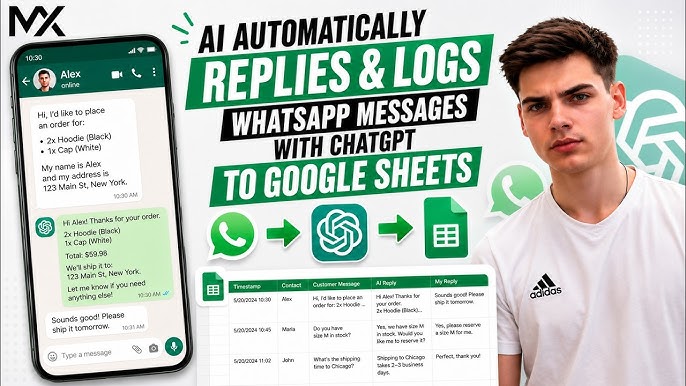
For businesses looking to truly scale, connecting the official WhatsApp Business API to custom automation workflows (using tools like n8n or AI agents) is the ultimate solution. This setup allows an AI agent to read an incoming message, understand the true intent behind it, fetch real-time data (like product stock or booking availability), and reply instantly in natural language.
🚀 Ready to Automate Your Customer Support?
Don’t let valuable leads sit in an unanswered inbox. At Taskforce AI, we build intelligent, custom AI agents that integrate directly with your WhatsApp, handling everything from FAQs to automated bookings seamlessly.
Stop copy-pasting and start scaling. Call our official hotline today at +94 77 669 7566 to chat with our team and get your custom automation blueprint.
Best Practices for Setting Up WhatsApp Automation
To make sure your automated system feels helpful rather than robotic, keep these principles in mind:
- Always Allow an Easy Human Hand-off: If a customer has a complex issue or gets frustrated, the AI should immediately flag the chat and pass it to a live team member.
- Keep the Tone Natural: Write your automated scripts the way Sri Lankans actually talk—professional yet warm, friendly, and direct.
- Localize Your Context: Ensure your system understands local terminology, whether it’s recognizing “Singlish” phrasing, understanding local bank transfers, or calculating specific island-wide delivery timelines.
Frequently Asked Questions
1. Will using an official WhatsApp API bot get my business number banned?
No. If you build your automation using the official WhatsApp Business API (via Meta), your number is completely safe. Banning typically happens when businesses use unofficial, third-party scraping software or “grey-market” tools to spam users.
2. Can the automated system understand Singlish or Sinhala/Tamil text?
Yes! Modern AI models integrated into custom workflows are incredibly proficient at understanding conversational context. They can easily interpret mixed languages (Singlish) and reply accurately in the language or style the customer used.
3. Do I need to keep my personal phone connected to the internet for this to work?
If you are using the advanced WhatsApp Business API setup, no. The automation lives in the cloud. Your system will reply to customers instantly 24/7, even if your physical team phones are switched off or out of coverage.
4. Can a WhatsApp bot integrate with my existing website or inventory system?
Absolutely. Advanced workflow automation allows your WhatsApp API to talk directly to your website backend, Shopify store, Google Sheets, or CRM. It can check live stock levels or log a new booking the moment a customer confirms it via text.
5. How long does it take to deploy a custom WhatsApp automation system?
A basic FAQ and greeting setup can be deployed relatively quickly. For an advanced, fully integrated AI agent that handles specific business data, live bookings, or backend system updates, deployment typically takes between 2 to 3 weeks.
Taskforce AI – Explore Our Solutions: Visit taskforceai.tech
Leave a Reply